A site with the name "..." already exists
Answered
When I attempt the initial onboarding, on the “Let's Get Your Business Info” page I get an error that my website name already exists and can't move forward.
History: I was accepted to MediaVine 4-5 years ago with this site but never set up ads. Since then, I took time off from posting and traffic has dipped below the new threshold. I presume it's saying it already exists from when it was accepted back then.
Thanks in advance for any help.
-
Official comment

Hey Miranda,
This is a current known issue with past sites that were with Mediavine, or were accepted to Mediavine but maybe didn't start.
We are currently working on this and will update this thread when we're ready to have you launch again! -

I have the same issue. Not able to move forward since I was previously accepted to mediavine. My traffic dropped below the minimum while I was waiting for my contract with Ezoic to end.
0 -
Hey Brock we should have had this worked out, so I'l check with our team and circle back!
0 -
Thank you! I just checked again to confirm it's still not working for me.
0 -

Hi Support I just had this same issue today, what do I do now?
1 -
Hi Support, since this only seems to be happening for a small group, any chance we could get pushed through while the bug is being fixed?
0 -
Yes! Let me see what I can do Brock! Tahila Mongoya , Miranda Schultz do ya'll mind sending over your websites, so I can look on our end and get you pushed through to onboarding?
0 -
Hey Brock, will you try to onboard again?
1 -
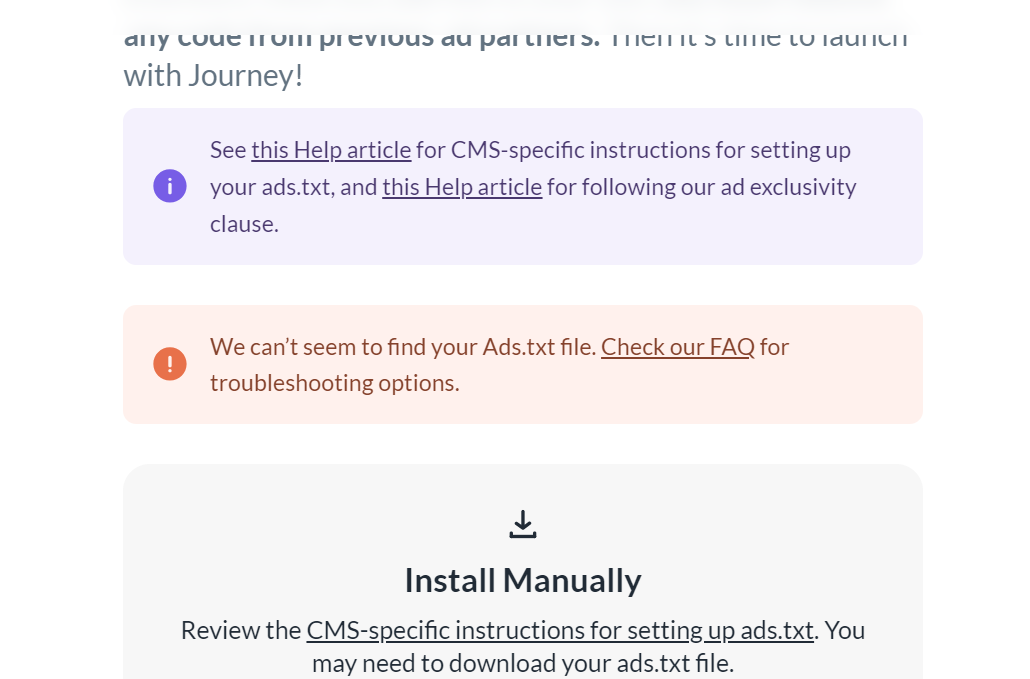
Thank you! I'm past this section but now I'm having issues adding the TXT file. I'm on wordpress but the grow app is not adding it. (I've removed old ad files and flushed the cache)
All i get is an FAQ section link but no troubleshooting link like the page shows.
 0
0 -

Hi Brock! When I go to your ads.txt file I'm seeing an Ezoic ads.txt file. It looks like it's being added by AdsTxtManager.com, so you'll either want to disable that plugin if that's what's inserting it or log into your account at AdsTxtManager.com to disable it.
1 -
Thanks for your help! I found the Ads.txt file mentioned in my rankmath account. Ads are up and running :)
0 -

Hey Karla, won't mind being pushed through myself. Having the same issue here.
I tried logging in and out and it does work still. A little help please.
Site: Respawnfirst.com
P.S: I was accepted to Mediavine but didnt start cz traffic fell right after. That might be the issue but not sure. I tried the above fixes, even a different browser but not working.
0 -
Hey Sikandar , go ahead and try again!
0 -
That worked, thanks so much. Quick question, is there a way to change my preferred method of payment later on? For example, if I want to switch from Paypal to a wire transfer directly in the bank?
0 -

Hey Sikandar - Yep! You can change your preferred method of payment right from your Payment Profile. Just log in to your Grow Publisher Portal, go to your Analytics tab and click on View Payments. Any change you make should update immediately.
You can click here to see the different payment methods we offer.
0 -

Having the same issue. A site with the name xxxx already exists
0 -
Hi dragneel ! Could you try logging out and logging back in to your Grow Publisher Portal? Once you do that and click Start Your Journey or Finish Journey Setup, it should take you back to the ad verification step.
0 -

Hey, I applied my site to Mediavine and a few days later I got hit and rejected from Mediavine. Now journeymv accepted, but facing the above A site with the name *** already exists. I tried logout login, with a different browser. But can't go from this page. What to do?
0 -
Hi Al Amin ! Please log out of your Grow dashboard then log back in and you should be taken immediately to the Ad Script verification step. Just be sure not to hit “Back” because this could make you get stuck on the same page again. Thanks!
0 -

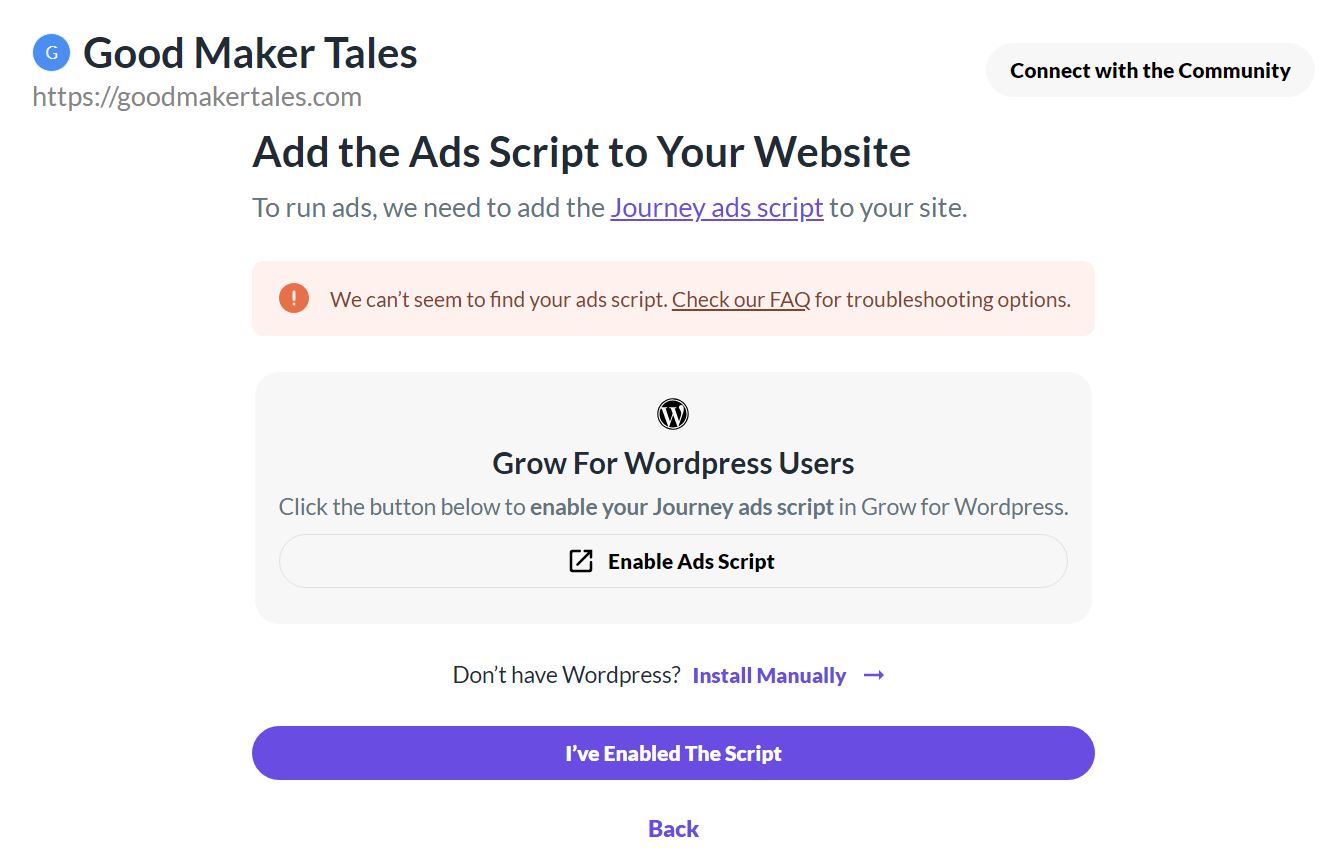
Hi I am facing the same problem and cannot finish my set up (even though they keep emailing me to finish it!). I've tried logging out and logging in again and it doesn't help. I was being reviewed by Mediavine but not yet accepted, could this be the reason? Site goodmakertales.com
Thanks0 -
Hi Julie Moorhouse ! Please log out of your Grow dashboard then log back in and you should be taken immediately to the Ad Script verification step. Just be sure not to hit “Back” because this could make you get stuck on the same page again. Thanks!
0 -
Hi, I've done this but still repeatedly getting the attached message. My hosting team have tried the following:
So far, we have tried:
- clearing the server cache, object cache, OP cache repeatedly
- ensuring no CDN cache is actively running
- disabling Wordfence and PerfmattersThey have also asked: Could you also check in with Mediavine and ask them what kind of error they see internally for this? This would help us understand if it's anything on our end or if something else is going on here.
Thanks
 0
0 -
Hi Julie Moorhouse ! I see your site is active, so it looks like you were able to figure this out. Thanks!
0 -
Hi Support thanks so much, I'm very pleased! In the end I left it to my hosting company and they sorted it out for me! Very best Julie
0 -

Hi Support Team,
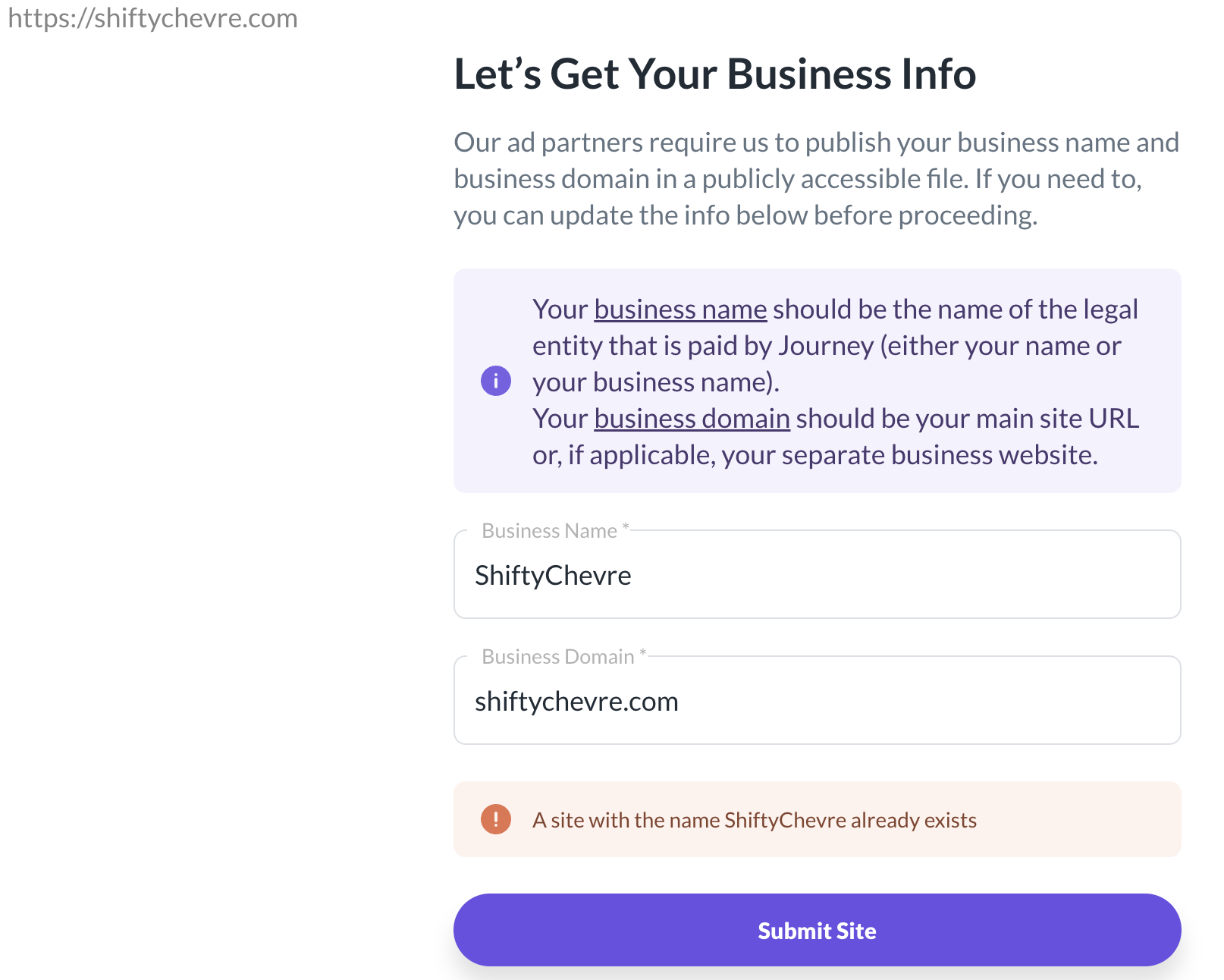
I'm experiencing an issue that’s preventing me from completing my setup. When I click the "Finish Journey Setup" button on the banner, I'm redirected to a page prompting me to provide business information under the message, “Let’s Get Your Business Info.” After entering the required details and clicking "Submit Site," I receive an error message stating, “A site with the name ShiftyChevre already exists.” I've attached a screenshot of this message for reference.
I’ve tried logging out and logging back in, but the issue persists. Please note that I recently purchased this website; it was previously approved by Journey, and I'm reapplying it now.
Thank you for your assistance!
 0
0 -

Hi Doan Thanh Son! We made an adjustment on our end that will hopefully resolve this for you. Could you try again when you have a chance and let us know if you run into any issues? Thanks!
0 -
Hi John,
Thank you for the update. I’ve tried again multiple times using different browsers, but I’m still encountering the same issue. I also attempted logging out and back in, yet the problem persists. The error message remains: "A site with the name ShiftyChevre already exists."
Could you please advise on any further steps I might take to resolve this?
Thank you for your assistance!
Best regards,
Doan0 -
Hi Doan Thanh Son ! This should now be resolved - I would recommend clearing out browser caching and trying again, but let us know if you continue to run into issues. Thanks!
0 -
Sorry to leave a comment here but I needed some help with my payment. It shows as “Submitted” but it's not processed. I checked the "Payment Profile" in Grow Dashboard and it said it needed additional information which I have now submitted. I wasn't notified by email nor any dashboard notification that I needed to submit more information.
Will there now be a delay in payment since it is past the 5th of the month?
Site url: https://respawnfirst.com/
Journey email: browndudegames@gmail.com
0 -
Hi Sikandar. You can go ahead and email our payments team at payments@mediavine.com, and they'll be able to take a look and get back to you with more information. Thanks!!
1
Journey is Self Supported
Please sign in to leave a comment.
Comments
46 comments