Journey cannot detect my GA4 property although data exists

Hello,
I am trying to connect my Google Analytics property to Journey, but my website does not appear when selecting the site.
Details:
- Google account connected to Journey is correct
- The GA4 property was created by me
- Real-time analytics data exists in GA4
- Search Console is already linked
- The property originally had an Android App stream, and I later added a Web stream
- My site uses Cloudflare Zaraz to load GA tracking instead of directly embedding the script
Error message shown in Journey:
"Please make sure the property is correctly set up and try again."

Could this be related to:
- Having an App stream before the Web stream
- Using Cloudflare Zaraz for GA tracking
- Or any Journey-specific requirement for GA4 properties?
I would prefer not to create a new GA property.
Property info:
Property Name: mcbe-proxvc
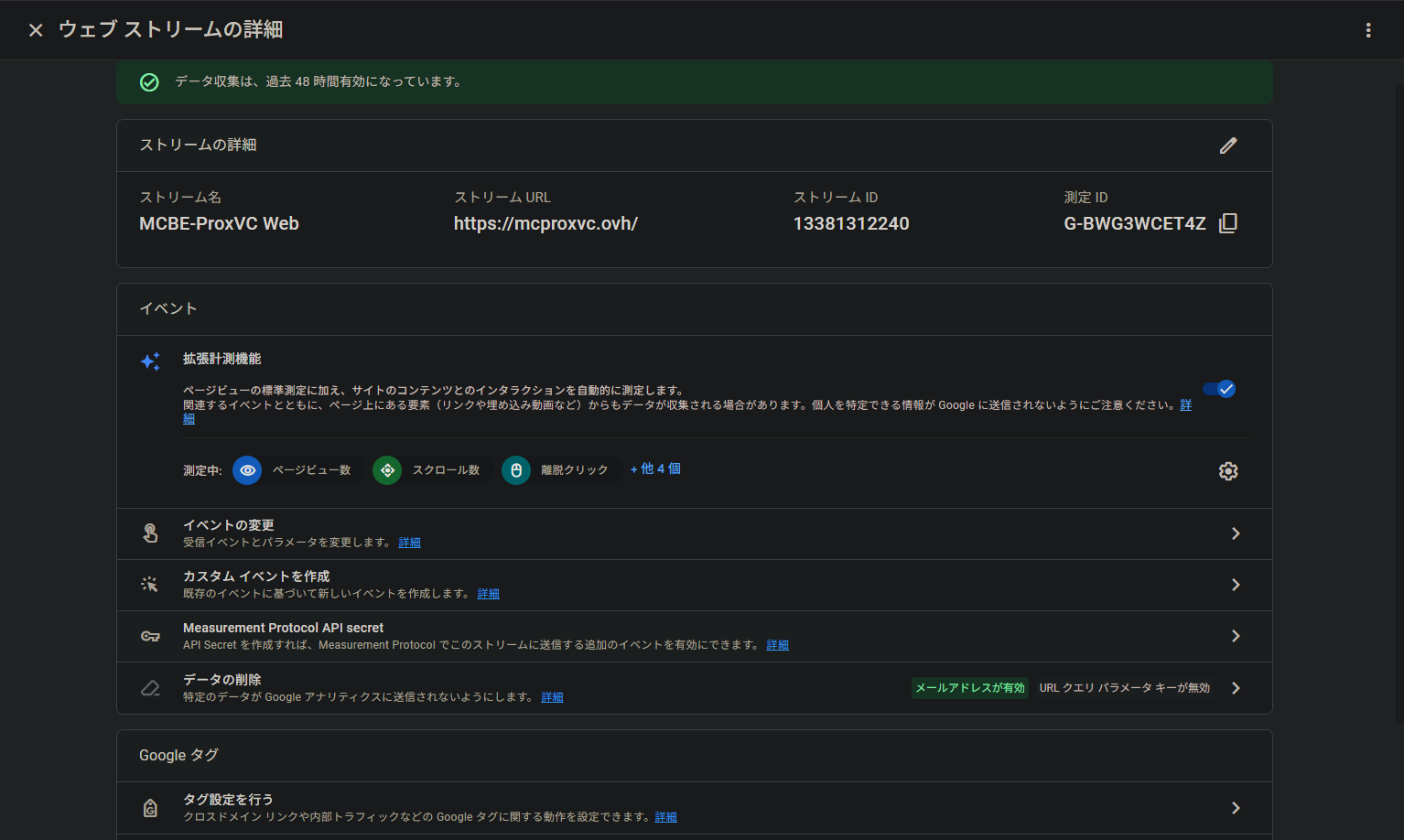
Domain: https://mcproxvc.ovh/
GA4 Measurement ID: G-BWG3WCET4Z
Thank you very much for your help.
-

kkr Are you seeing this error after selecting ‘mcbe-proxvc’ from the select property dropdown menu? As far as I know, the way the script is implemented shouldn't have any bearing on this.
If there's a corresponding console error, or an error that's sent from an incoming xml request in devtools, feel free to send that along and we can take a look.
0 -
I apologize for the delayed response.
Yes, the error appears after selecting “mcbe-proxvc” from the property dropdown.I checked the browser developer tools and found the following console errors:
__cmp never became available.
>>> tokenResponse >> {
iss: 'https://accounts.google.com',
code: '[REDACTED]',
scope: 'email profile https://www.googleapis.com/auth/analytics.readonly https://www.googleapis.com/auth/userinfo.profile https://www.googleapis.com/auth/userinfo.email openid'
}GET https://publishers.grow.me/empty 404 (Not Found)
[Violation] 'mousedown' handler took 167ms
[Violation] 'focusin' handler took 178msI have also checked the Network tab and did not see any obvious failed GA requests.
Google OAuth authentication appears successful, and the analytics.readonly scope is granted.
Please let me know if you need additional logs or screenshots.
Thank you for your help.
0 -

Hi kkr Thanks for sending that over!
It looks like this error occurs when you are selecting a GA4 property that has an empty default_uri field. This can happen when the web data stream is not configured correctly. It shouldn't matter that the app stream was created before the web stream, but you should take a look to make sure that your URL is correct on the web stream and on the property. Additionally, can you confirm that the time zone for the property is set to (GMT-04:00)New York Time? This is a requirement for the property to work correctly with our dashboard.0 -
I have identified the root cause. My GA4 property contains both an Android stream and a Web stream.
According to the GA4 Admin API response (see attached), the Android stream (ID: 13241859296) appears first in the
dataStreamsarray. It seems your dashboard is only checking the first stream in the list and failing because it has no URL.However, the Web stream (ID: 13381312240) exists in the same property and has a valid
defaultUri:https://mcproxvc.ovh/.Please update your system to look for the WEB_DATA_STREAM type or specifically use Stream ID 13381312240.
0 -
kkr Thanks so much for looking into this. I'll put this on our engineering team's radar, but note that this isn't something we'll be able to push out a fix for in the immediate future.
In the meantime, we recommend creating a new property that only has the URL of your site included on the property, and connecting this property to your dashboard.0
Journey is Self Supported
Post is closed for comments.
Comments
5 comments