Left MV Journey - Ads.txt still being altered

I left MV Journey a couple of months ago to return to AdSense. I gave my notice, deactivated my account, and uninstalled Grow. All has been going great with AdSense, except that Mediavine keeps altering/replacing my ads.txt file, which stops my AdSense from working.
This happens as often as once every two days, which is costing me money and is extremely annoying. The ads.txt file is always slightly different, so is definitely coming from Mediavine. I just want this to stop.
I’ve reached out to Mediavine via email with no luck, so hoping someone can help me here.
Ta.
Website is landofthebigs.com.
-

Hi Bigs
I took a look at your site and I'm not seeing a Journey or Mediavine ads.txt file on it currently. Additionally, it looks like your site has been deactivated on our back-end and I'm not seeing any of our scripts running on your site. It's unlikely that we are overwriting your ads.txt file since we have no way of accessing your site, but the next time it happens, if you could send over a screenshot of what you're seeing on your ads.txt file, we can take a look.
0 -

I'm writing here because the community hasn't allowed me to ask a question for weeks, and the articles don't solve my problem. And honestly, it's outrageous that there's no support that would be directly available and help.
My problem is that it's missing or considering the ads.txt file as outdated. It's the same as the one I originally got, nothing has changed. Please check it out
www.spark-diaries.comThank!
0 -
Thanks, but it has since been updated and resolved. Now it's only 1.27 rpm that's the problem for me!
0 -
This is still happening, so here's a screenshot of my ads.tx, which was updated today - months after leaving MV Journey. It clearly shows that Mediavine is still uploading this file to my website. Please fix it.
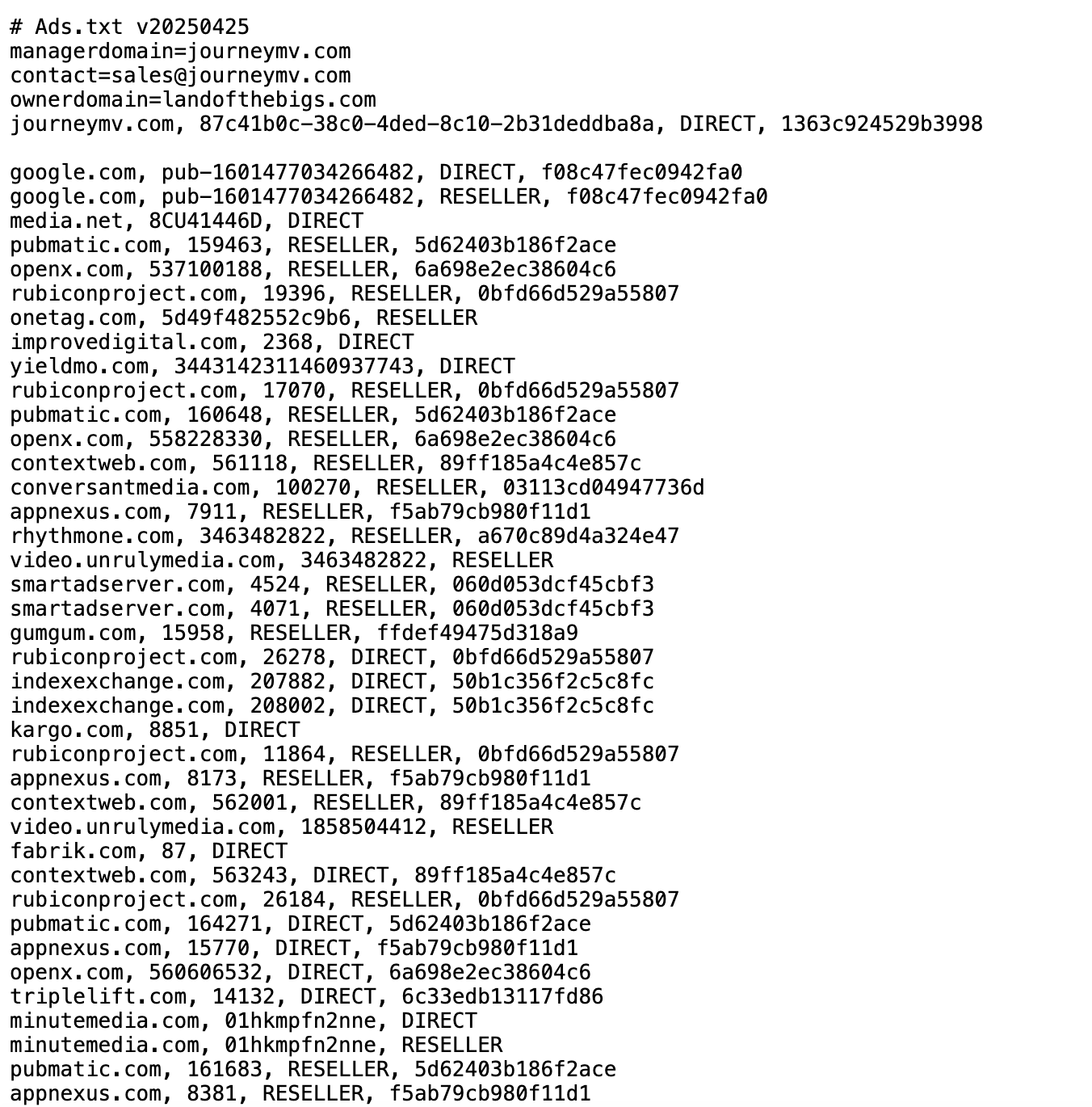 0
0 -

Hi Bigs! Thanks for providing the screenshot. The ads.txt is just a file on your site's root domain that shows which companies are authorized to advertise on the site. Ads are deactivated on our end, and the scriptwrapper is removed from your site, so there's no bidding or advertising on your site.
Outside of caching, if you're still seeing the ads.txt being placed, it's possible that that feature is still enabled in the Grow for WP plugin. If you still have the plugin installed and active, you could just deactivate and remove it. Or, if you would prefer to keep the plugin for Grow's other functionality, you could just visit this url while logged into the site to deactivate all Journey functionality (like placing the ads.txt):
{{SITE URL}}/wp-admin/admin.php?page=grow-journey-disable.0 -
You're still sending updated versions of your ads.txt to my website, months after I left. Just take my website off your database. Just remove it.
0 -
Hi Bigs. Thanks for getting back to us. Your site is deactivated on our end, and there isn't any external connection with the script removed from the site. If the ads.txt on your site is still being replaced, it would have to be coming from something running on your end.
If you've fully deactivated and removed the plugin and are still seeing our ads.txt showing, then there's likely caching somewhere on the site or server that is keeping the change from taking place. So what you would want to do is clear out all caching on the site and also to contact your host to have them clear out all the server/cdn caching on their end.
0 -
How can it be coming from my end when the file is different each time? I'm still getting the updated ads.txt file each time you push it out.
0 -

Hi Bigs - I'm glad to see that your site's AdSense file is properly in place as of this morning.
If the Grow plugin is removed from your site, Journey will no longer be placing an Ads.txt file on your site. If you're still bumping into an existing ads.txt file from Journey when navigating to your site's ads.txt domain, it's likely due to some caching. I recommend connecting with your host if you continue to have issues.0
Journey is Self Supported
Post is closed for comments.
Comments
9 comments