Missing Ads/Impressions plummeted overnight

@support I'm so sorry to post another thread about this but you keep closing my threads so I can't continue on the same conversation thread with you.
I understand that it's hard for your ad tech to work within the page builder in squarespace, I get that, but the first time I requested a recrawl, it fixed it and it was working fine on my /blog/… style second-level pages. Placement was great above and below images or headings. I had almost 5k impressions.
I asked for a second rescrape this week, because my first level pages have zero ads on them. You rescraped the site, and my impressions plummeted (see below). It's picked up the wrong selectors now, and now I have only 1 ad per page and most of the time no ads, and if there is one, it's in the WORST place - the middle of recipe ingredients or instructions or right at the top of the page under the first heading. It's bizarre!
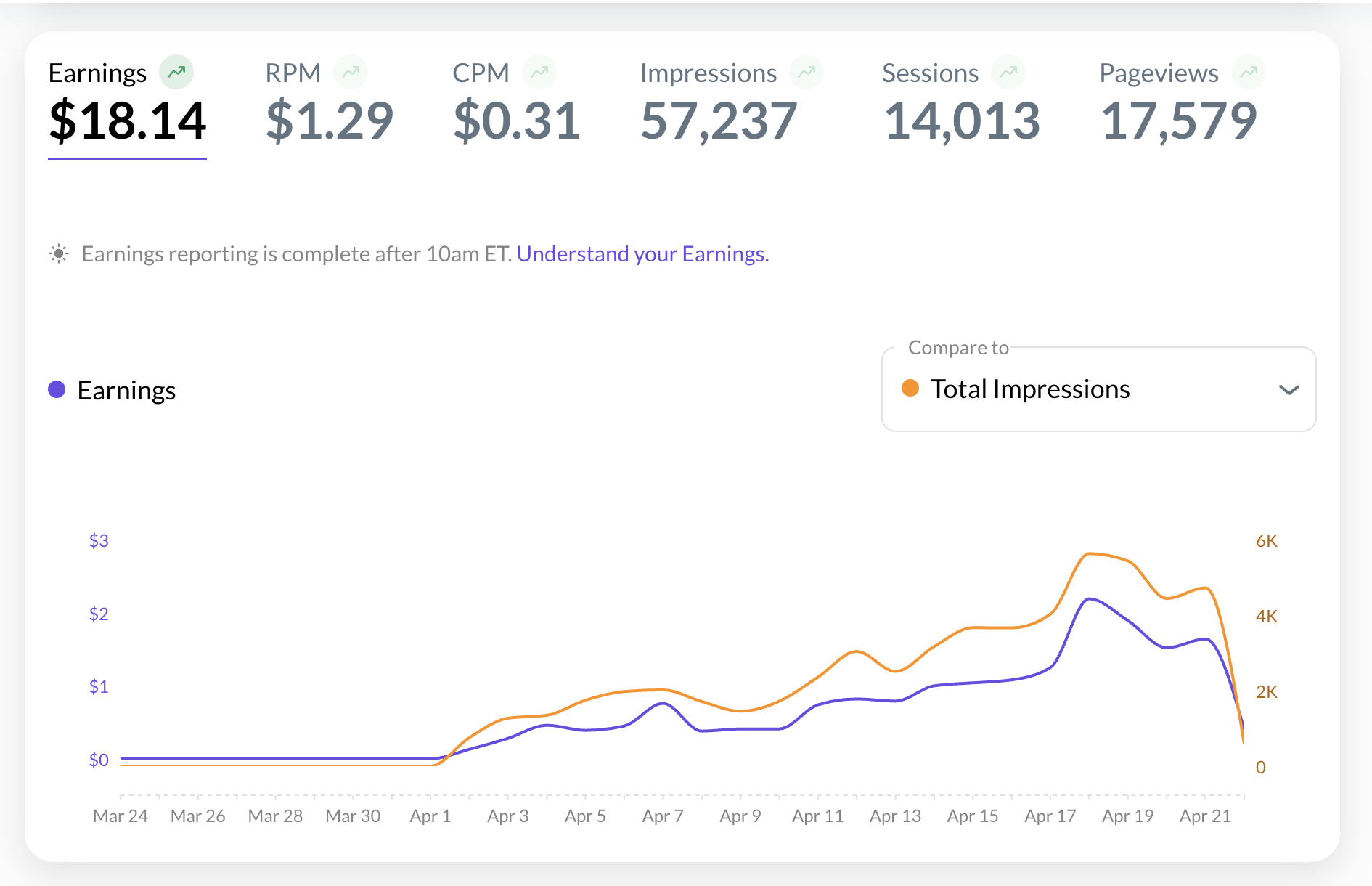
Could I please ask for another rescrape? I won't ask you again, I promise, I just want it to go back to the way it was after the first rescrape with the correct selector.
If this doesn't work, I'll apply to Monumetric as I know their ads work on squarespace, but I just want to give this one more try because I don't actually want to leave Journey but I'm not moving to Wordpress. Please and thank you!
Thank you!
Website: somegoodcleanfun.com
Example page: https://www.somegoodcleanfun.com/blog/dry-july-easy-watermelon-mocktail-mimosa-66chf
-

Hi Sarah Kiriliuk ,
I took a look at some of your top posts on your site and it looks like you have at least two structures for your blog posts. Posts like this one which have your content nested in an inner container currently have ads running like normal.
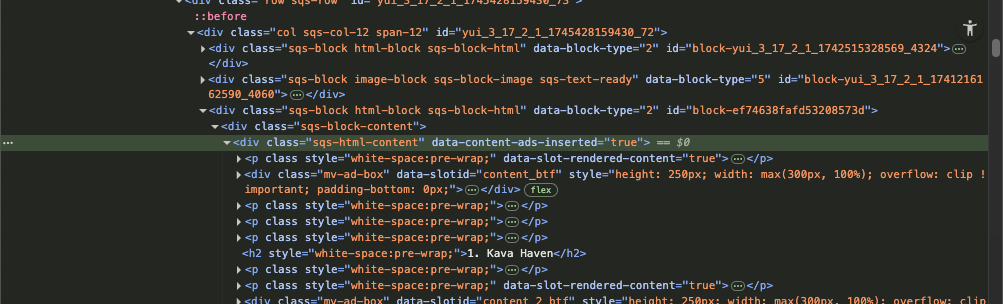
Other posts like this one do not have the content nested in in an inner container do not have ads targeted correctly.
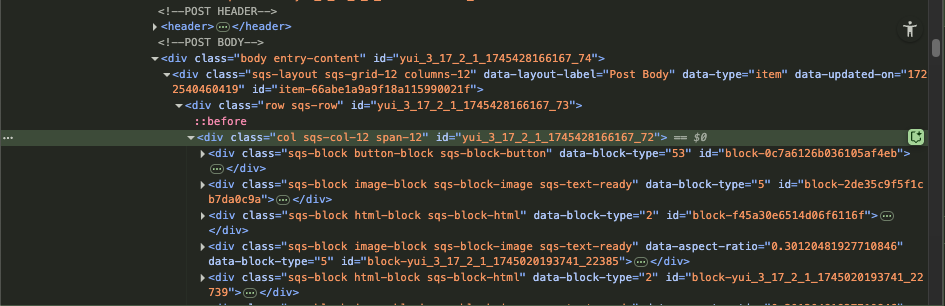
Because these two types of posts have some overlapping layouts and no unique types of differentiating between the two, our script can only target one type of post. If you have a preference, please let us know.
The best way to target all of your posts is by adding in a unique class, such as “.journey-content” to all of your posts into the inner-most element that contains your post's content.0 -
Thank you for getting back to me! I know this was working a few days ago, and finding whatever selector it needed to. But I see what you mean about how tidy the <p> tags are.
I've done a deep dive and it looks like there is a div class called 'sqs-block html-block sqs-block-html' that seems to be the container for the content buckets in the body for all posts. Even when an image interrupts the ‘sqs-html-content’, it creates another div class 'sqs-block html-block sqs-block-html' for the next content section. On all the pages. Is there a way to use that selector for targeting?I use the same text editor for building content so I'm not sure why it works on some pages and not on others! Sometimes I use the page builder for adding images though so that’s probably what’s messing up some pages. With the watermelon margarita sample I shared, there is no in-line images on that page.
Will you rescrape the site again?
(could we keep this thread open temporarily, please?) thank you so much!!
0 -

Sarah Kiriliuk - it looks like Journey has finished rescraping your site, however, the same issues remain. Site-builder type tools like Squarespace usually employ HTML structuring that can make it difficult for programmatic advertising.
That said, the post we previously referenced does have a great structure that Journey is able to work with, and if you haven't yet, I recommend connecting with Squarespace to see if they're able to provide insight into how this type of structure can be replicated.0 -
Thanks for looking into it. The page you referenced that has the good structure has no images on it. That's the thing that breaks Journey's attempt to place an ad. On the first recrawl I requested, the crawler picked up the images as the selector which was great, but on the second recrawl it stopped doing that, so now every page with any image or anything inserted into the text means no ads on that page. I don't think that's a feasible option for a food and drink blogger.
I'm not sure what the ramifications are of leaving Journey - is there anything I need to do, or just delete the code? Please advise! And thank you for the help. I'm sorry this didn't work out. I was so happy to be part of the mediavine family finally.
0 -
Hi Sarah Kiriliuk - I've made a small adjustment to the way Journey is placing ads on your posts, which does seem to be helping place a few more in-content ads on both of the posts we've been referencing today. That said, there may still be issues that arise due to the nature of how Squarespace structures content on your posts.
One thing to note - I did notice in your original screenshot, there was a dip in impressions you were seeing may have been due to viewing ‘today’ data before 10 AM, which is before this data is reported. I did notice that there has been an upward trend in impressions over the past few days, which is likely due to the ramp-up period outlined here
There are no ramifications for leaving Journey; all we ask is that you send a 30-day written notice to help@journeymv.com. For more information, please refer to this help doc.
0
Journey is Self Supported
Please sign in to leave a comment.
Comments
5 comments