Can't accept terms of service - generic error

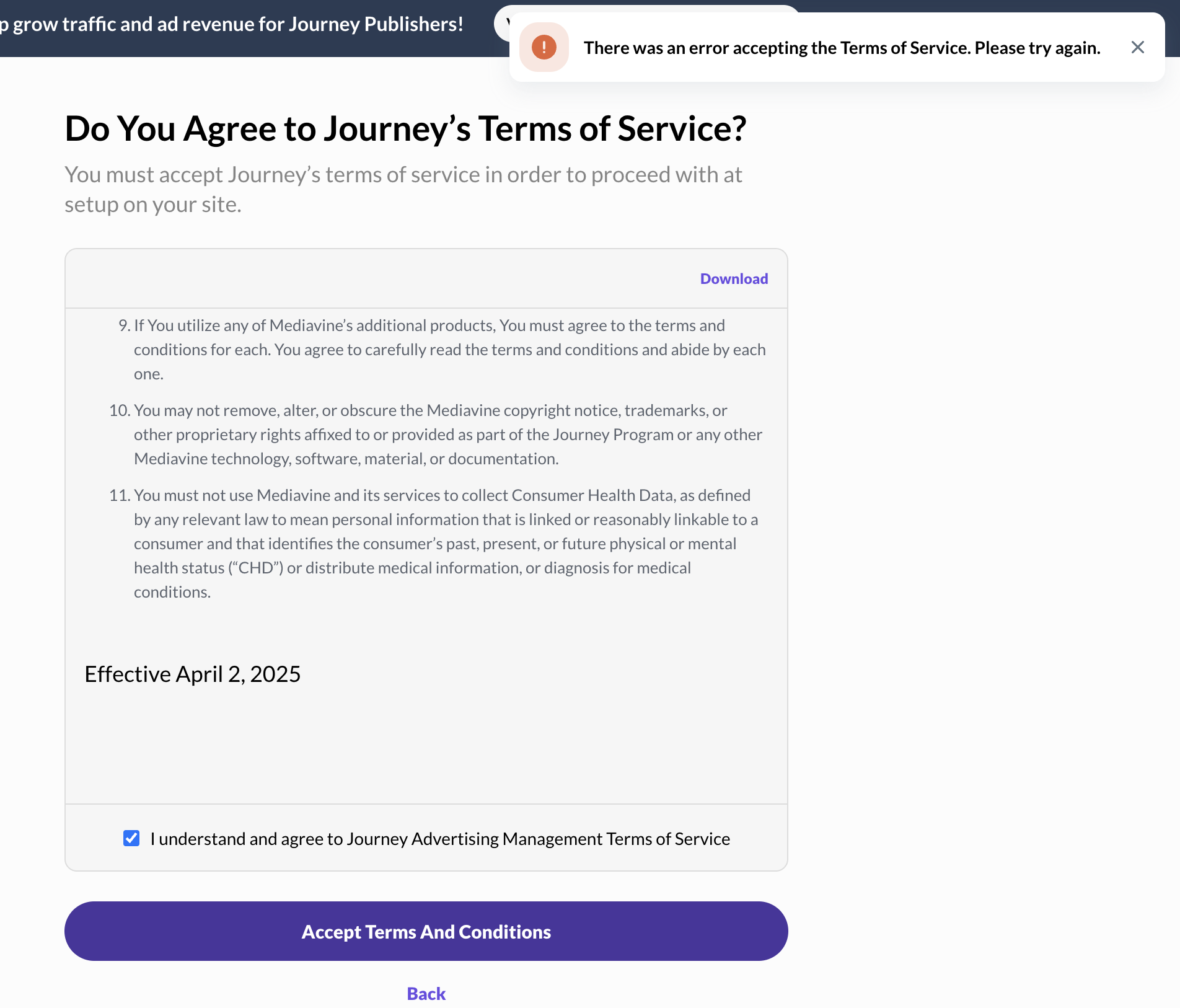
Hello there! I've trying to accept the terms of service through the onboarding dialog but it keeps showing an error to try again but it doesn't allow me to continue.
Screenshot, error shown on the top right. I tried different browsers, restart browser etc. Nothing helps. How can I continue and finish my setup?
-

Hey Powerful Mothering - sorry to hear about this hiccup! I just checked your account, and it looks like you were able to progress. If you're still having issues, please let us know.
0 -
Hello there support team, from my view, I am still not able to advance past the ToS page, here's what I see:
https://www.loom.com/share/4b4872fe94cf42f0bd82cd5e7188a2a2?sid=76dc20cf-302d-4dc3-befe-62f7c3d1e101
0 -

I have been with Journey for a while but now I can't accept the new terms of service (button is greyed out). It says my account will be deactivated if I don't accept them. What can I do?
0 -

Hi faye and Powerful Mothering, we are currently experiencing an issue with the service we use for our Terms of Service. Our engineers are working on a solution, but feel free to follow this thread for any updates to this problem.
0 -
Hello there Journey team, I've been following the other thread but haven't seen new updates. It seems we are not the only ones. Since posting is disabled in the other thread, I just wanted to do a quick follow up here. If the work is still in progress, feel free to just type that, and I'll continue following.
I saw there is a May 26th deadline, which is why I'd like to stay on top of everything and accept ASAP.
Thank you!
0 -
Hi Powerful Mothering - the issue related to the terms of service not loading in has been resolved. If you're still having issues, can I have you try logging out and back into your dashboard?
0 -
Hello there team, I did do that. Even tried a brand new browser in incognito but had no luck. Is something else off? I get the same error message on the top right as before…
0 -
Hey Powerful Mothering - thanks again for giving that a try! I did notice that your site has successfully onboarded. Are you seeing this error for a different site, and if so, could you send me the link?
Otherwise, if you're able to take another quick loom of the behavior that you're bumping into, from logging in to proceeding through onboarding, I would be happy to take this to our engineers.
0 -
Hey there team, that's good to know! I've been using the verify email link that I got during sign up to complete the onboarding process, I don't know of another way to get to this page actually.
https://www.loom.com/share/ed02c0a9540849aa86b7a09f4e1d76e2
If we're already onboarded and already good to go, I suppose there's nothing else to do. Could you confirm? If so, let's resolve the ticket!
0 -
Thanks Powerful Mothering - I have a feeling using that link is what's causing you issues. Instead, could I have you try logging in through https://publishers.grow.me/ and let me know if that helps?
0 -
If I login through that link, it takes me to the dashboard. I don't see any dialog to accept ToS. Is that expected?
0 -
Powerful Mothering that's correct - you've completed onboarding already, and the updated TOS has been accepted. I recommend using https://publishers.grow.me/ to log in moving forward.
0
Journey is Self Supported
Please sign in to leave a comment.
Comments
12 comments