“Backfilling your GA4 data” taking weeks
Completed
Hi team,
My dashboard still shows that GA4 data is backfilling for 24 hours, but it hasn’t updated at all, even after 7 days. Could you please investigate this issue and let me know the next steps?
Thanks in advance!
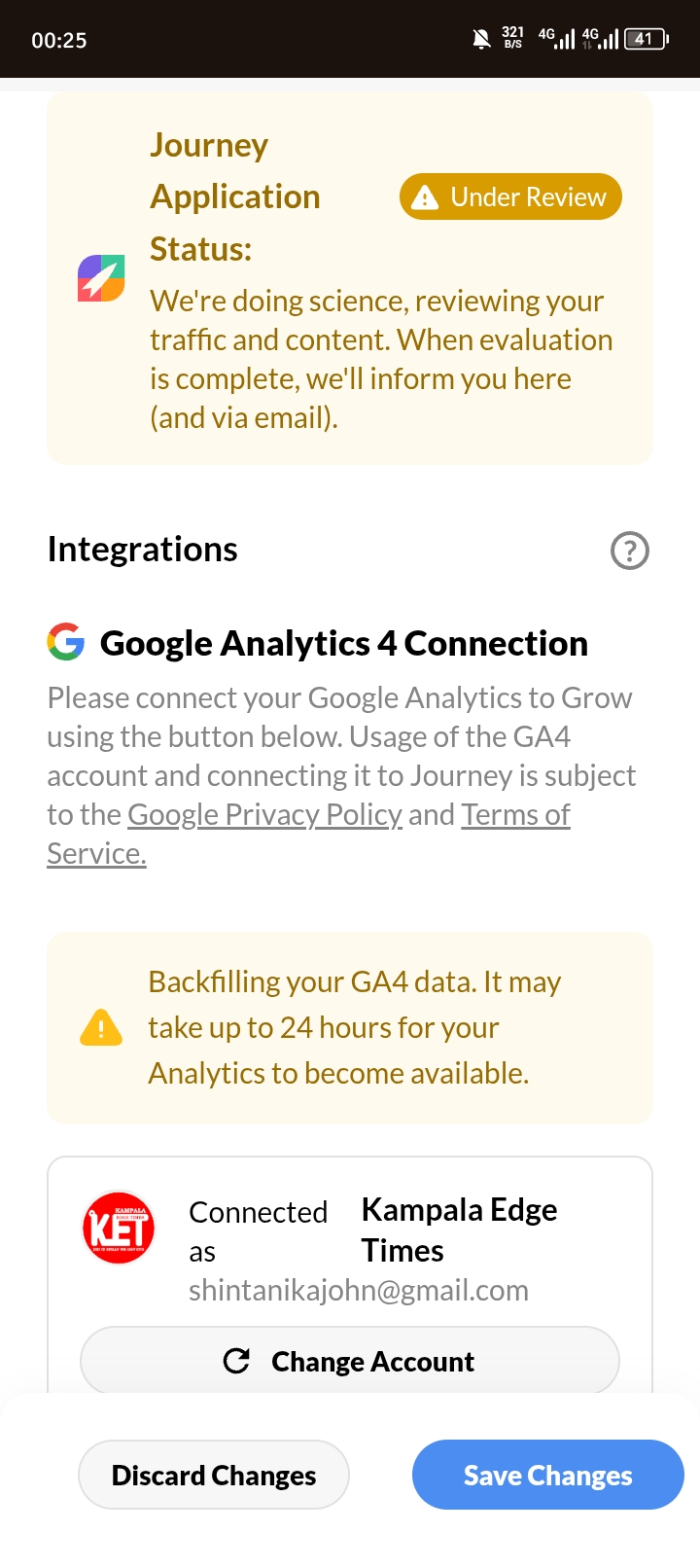
-

Hey John Kenny Adeya - thanks for writing in! I'm having our Engineers take a look. As soon as we know more, we'll be in touch.
0 -
Thank you for your assistance. I will be grateful for a solution!
0 -
Hi John Kenny Adeya - we've implemented a fix from our end that should resolve this notice over the next few days. Thanks for flagging this for us!
0 -
Many thanks!
0 -
Hi the error has cleared, but I can't find my statistics anywhere. I expected Grow to create a page that shows my site usage statistics similar to Google Analytics.
Does it only count earnings? That would mean I have to wait for evaluation at the end of this month…..
0 -

John Kenny Adeya if your site is accepted into Journey, you'll get access to an Analytics tab that tracks your traffic and revenue. You'll be notified if your site has been accepted into Journey, but for now you'll want to continue tracking your traffic in your Google Analytics Dashboard.
0
Journey is Self Supported
Please sign in to leave a comment.
Comments
6 comments