Critical Issues on my website due to Issues with Journey and Elementor and malware down loaded in the process!

I was approved for Journey, Yay. But then, when I went to onboard on Monday, I have been having issues with my wordpress site, ever since. It took me 11 hours to onboard with Journey. I had to eventually manually upload the ads.txt file. I spent hours with cloudways and elementor to try to figure out why I couldn't get the ads.txt file to download to my site.
However, I believe that in that download of the ads.txt for journey, that it is affected by malware called Mediamatic, and Mediamatic lite. Those show up as plugins on your wordpress sidebar. The description is "1000's of photos to help your blog." I was thinking, "Umm, I did not download that, maybe it's part of Journey?"
So, I stupidly clicked on the plugin, and "thousands" of porn photos showed up, disgusting. I immediately deactivated, and deleted them.
After that, I went back to cloudways who scanned with their malware and says everything is ok, not. I checked with Elementor and they said everything seems ok, too.
However, I'm not able to edit in Elementor. I keep getting the message “Enable Safe Mode” when trying to edit. So, I go and edit, and on the Elementor page, while I'm editing, there's a window that says, “Disable Safe Mode” that won't disappear. Also, the WP Recipe maker element has disappeared from the elementor element library. So, I was able to edit and post a new post without the recipe in it.
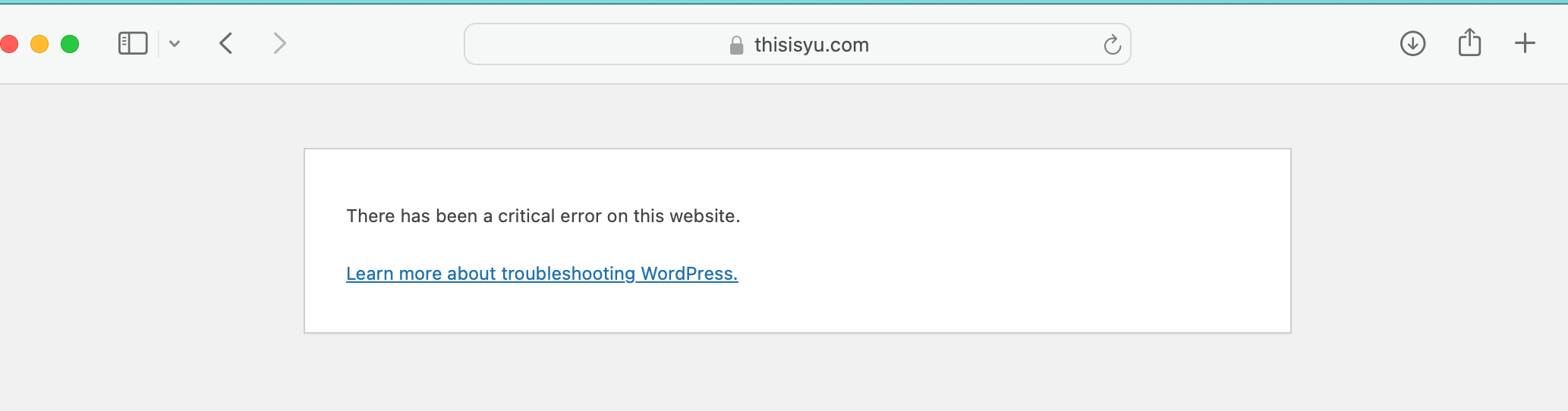
But, today, I tried to go write a new blog post with Elementor. I'm still having the issue with the “enable Safe Mode” issue. So, Elementor told me to deactivate all the plugins and just go through and turn each one on at a time. So, I did so, deactivated everything. I was able to activate, ads.txt, akismet, breeze, burst statistics, chicory, complianz/cookie. But, then, when I activated grow. then Elementor would not allow me to edit on Elementor without that error message again. So, now since it was identified that grow was the issue, I went back and deactivated Grow, and then since I thought I had found the “error”, i went back and activated all the other plugins and then, tried to edit again, and now I get a “Critical error on my website” and it's totally down.
-

Hey Carole Yu - glad you were able to get things up and running!
Regarding the malware you referenced, this shouldn't be related to installing the Journey Script or implementing an ads.txt file on your site. We haven't seen any additional reports of this behavior that have pointed back to ads, and if you haven't yet, you may want to connect with your host once more to see if they can identify how specifically the plugins you're referencing in your sidebar were installed on your site.
As for the elementor behavior you're seeing - this is a conflict we're aware of and you can refer to this existing thread for the temporary workaround. I've also copied it below for easy reference:
This is a bug with Elementor and the Grow for WordPress plugin that's on our radar and we're working on. In the meantime, we recommend installing the script and ads.txt file manually. You can manually install the ad script following these instructions, the ads.txt file following these instructions, and the Grow script following these instructions.
0
Journey is Self Supported
Please sign in to leave a comment.
Comments
1 comment