1 Ad showing on Website due to absolute positioned elements
Completed
I recently had my website approved by Journey mediavine. The website is freepngtransparent.com there is just one sticky ad showing at the bottom. There is nothing showing in between posts or homepage. I have read similar articles on this community but couldnt find useful information. Can you advise what can be done ?
-
Official comment

Hi Raheel Almas ! It looks like all of the elements in your content are absolute positioned with CSS on the site you're referring to, which means the ad script wouldn't be able to know where to place the ads between elements and the ads would overlap with the elements as well as stack on top of one another.
You would need to change this CSS in order for content ads to work, which you could likely achieve by changing themes as this is an abnormal styling format. Otherwise, you would likely need to consult with a developer so they could adjust the styles.
As for the homepage though, Journey will only place content ads on posts so it's normal to not see ads on the homepage. You can refer to this thread for more information on this topic.
Thanks!
-
Thank you for the update. Now i have changed Css class on the post pages. Can you please check now. Is it okay?
0 -
Hi Raheel Almas ! I still see all of the post-items as position: absolute on your posts, so this issue would still present itself.
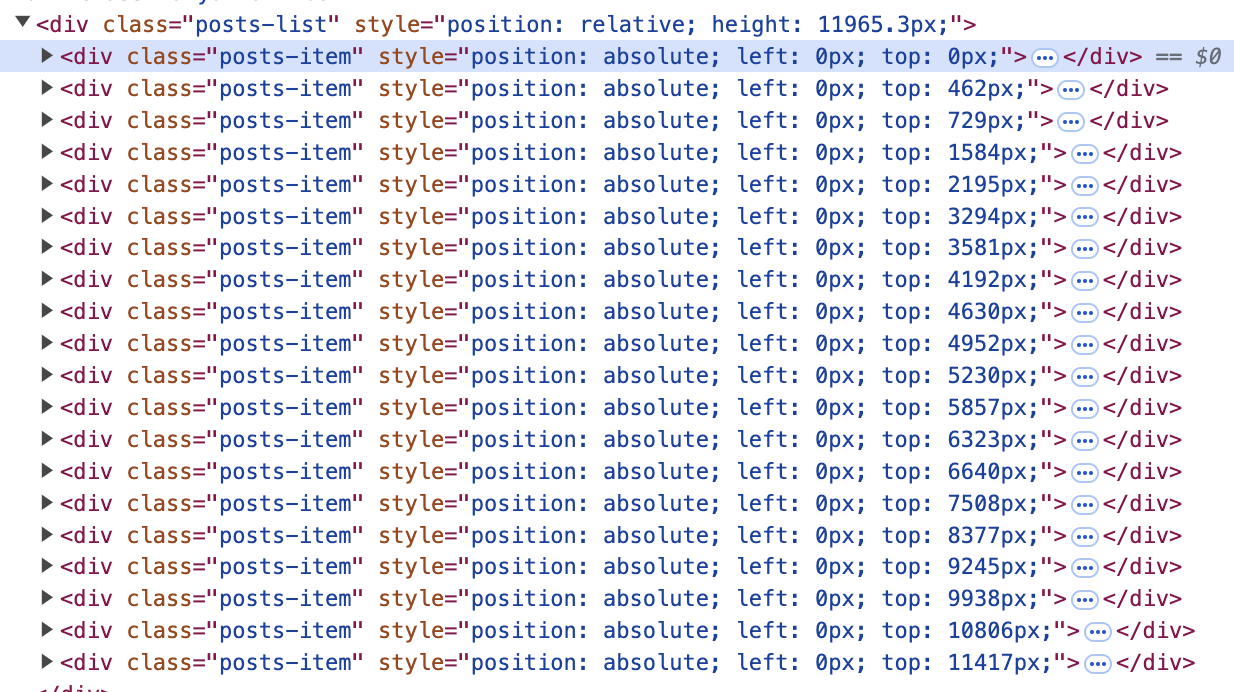 0
0 -
Hi Rachel Johnson ! Sorry the late reply. We were working on this code. Now we have removed the position: absolute; from the codes. Please check the attachment. Now journey ads will serve?
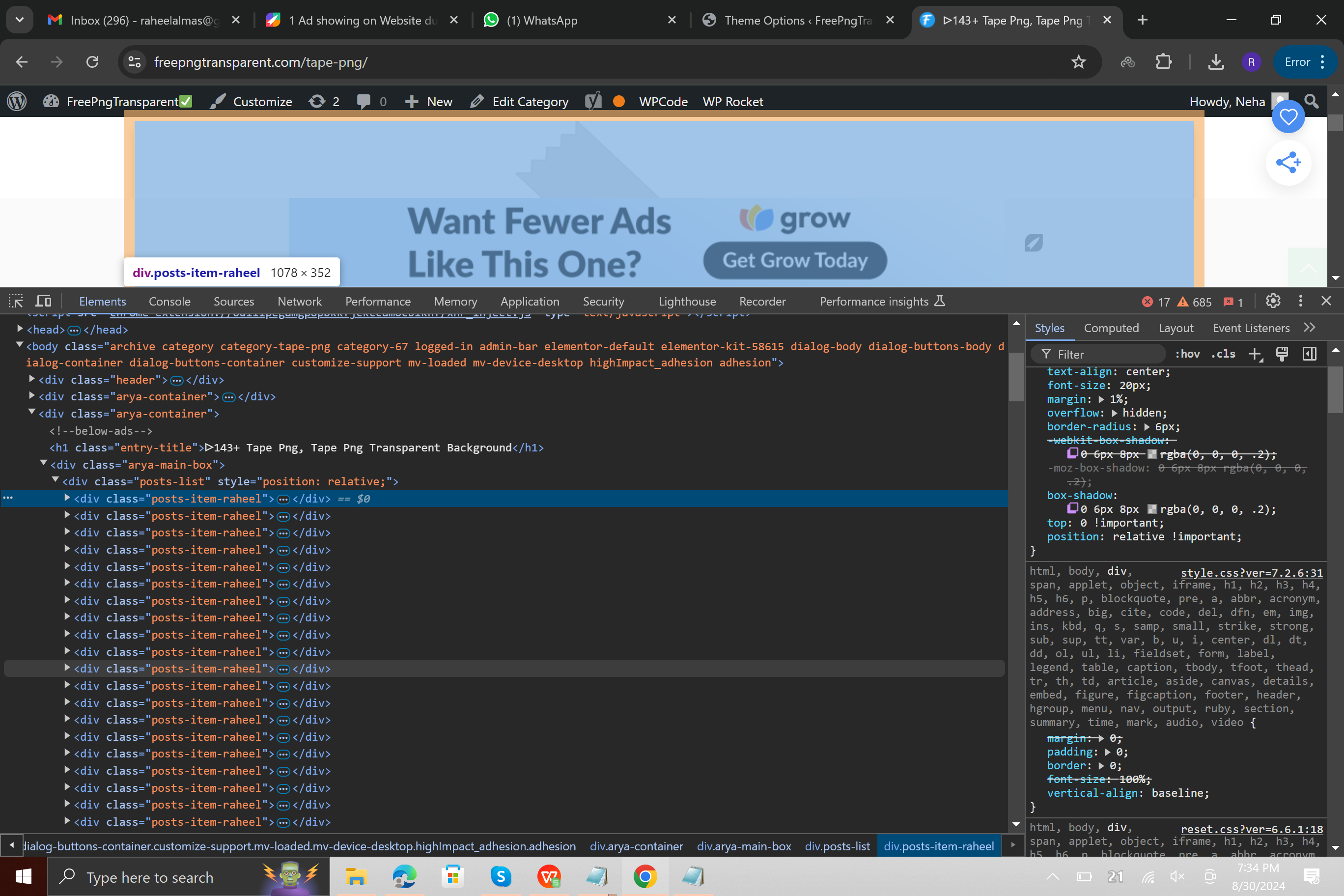 0
0 -

Hey Raheel Almas - thanks for following up! It looks like that did the trick - I'm seeing ads displayed in between these items on your site.
0 -
Hey Ryan - Thank you for your support.
0
Journey is Self Supported
Please sign in to leave a comment.
Comments
6 comments