No sessions, impressions, or pageviews after 5 days
Answered
I'm running a Wordpress site with Cloudflare and Litespeed, and I inserted the ad code manually in the theme. I'm seeing the Grow ads, and in Private browsing I can see real ads, but the analytics in the Journey dashboard say there are zero sessions, impressions, or pageviews after 5 days.
What can I do to make sure Cloudflare and Litespeed are not causing an issue? In Litespeed I've set the JS script URL in the JS Excludes, for Page Optimization. Is there anything else I need to do?
-
Official comment

Hi Andrew Powell ! If you're not seeing data in your dashboard, that would likely indicate the Grow script isn't connected to the site anymore since this is the script that tracks all of your data.
You can add back the Grow script following these instructions, and then the reporting numbers should return to normal.
Hope this helps!
-
I'm not seeing any issues with the code in the head for the theme. It appears correctly, and Grow test ads are showing, not to mention real ads if I view the site in browser private mode.
0 -
Andrew Powell The Grow script is separate from the Journey script. The Journey script places ads on the site, while the Grow script places the Grow widget, other Grow functionality, and tracks your Journey analytics. The help article linked above in the official comment will walk you through how to add specifically the Grow script to your site!
0 -
It's too bad that there are two scripts required to run things, especially since I'm not interested in any of the Grow functionality.
0 -

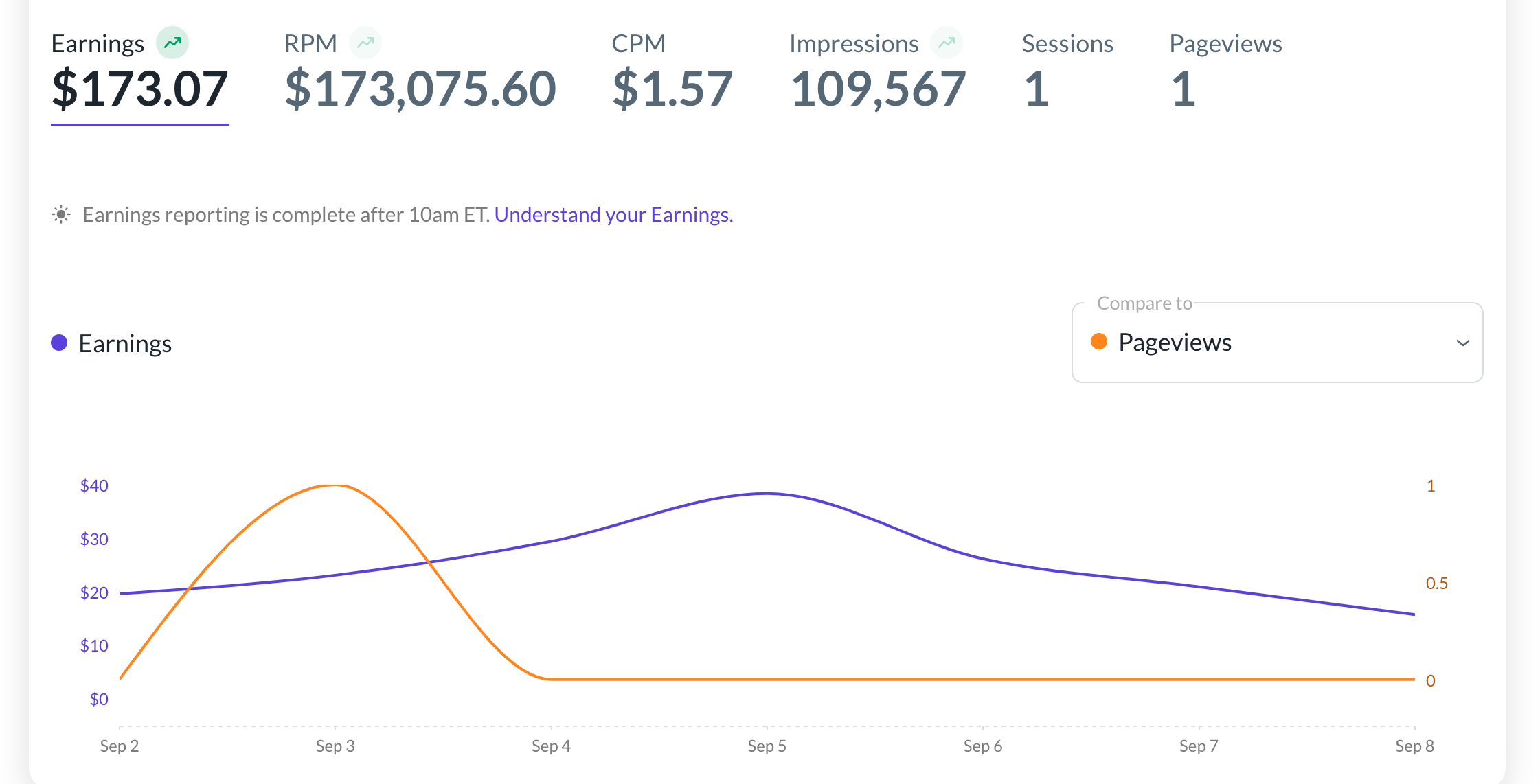
I have both scripts on my site, but my analytics are not showing properly. Impressions show, but page views have shown as zero. Yesterday was one. Someone shut down my original thread and sent me here so I'm asking again. In addition, my RPMs are all out of whack. See image.
 0
0 -
Hi Adultsplaysports ! Your RPM is going to be incorrect if your sessions aren't tracking properly since RPM is calculated based off of impressions.
It looks like the issue might be that the Grow script is being optimized -- I'm not seeing it in the source code and if you click “Check Grow Connectivity” in your dashboard, it'll intermittently show the following error:

Here's an article on how to exclude the Grow script from being optimized. You'll also want to make sure the script is installed in the <head> area of your site and is visible in your site's source code.
Thanks!
0 -

Same problem in here:

It's showing only above one ad as bottom sticky ad on my website. But not showing any pageview on my dashboard. Why it's happening please help me.
0 -

Hey Hush - Hi! It can take time for the script to automate ad placements after launching, so we recommend a few days or so for sidebar and content ad placements to be fully optimized and load on the site if you don't see them initially.
That said, I’m seeing ads on your site now, so you should be all set.
1 -

Hey Ahana Thakur - Right now Journey does rely on Grow Analytics to track performance. Impressions are tracked separately so you would see those but you wouldn't be able to track sessions, pageviews, or RPM without running Grow.
0 -
Hi Ahana Thakur ! You need to install the Grow script either manually or through the plugin in order to have sessions/accurate reporting in your dashboard.
Thanks!
0 -
Ahana Thakur Grow is a requirement of Journey. You would need to have either the script manually installed OR the plugin running. You don't need both, but you do need one.
0
Journey is Self Supported
Please sign in to leave a comment.
Comments
11 comments