How to change my payment information
Answered
How do I change my payment preferences?
Just accepted today and realized that I inputted the incorrect account number for my bank.
Can't find anywhere to edit this information.
Thanks!
-
Official comment

Hey Daniel,
You can edit your Payment Profile by going to the Analytics tab in your dashboard and clicking View Payments.
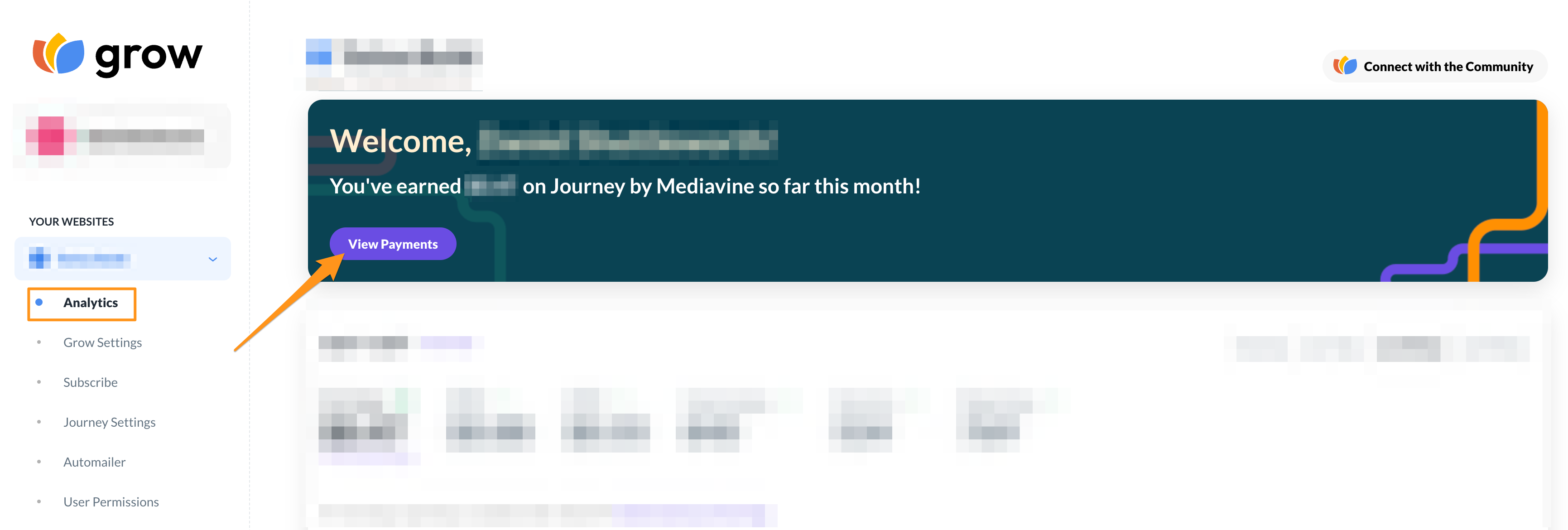
On the next screen, you would just click the Payment Profile button.

The following screen will have a red Edit button towards the bottom. Just click that and edit your payment details accordingly.
-

Hello, I am stuck on filling in payment details on Tipalti, it keeps saying the address cannot be verified. How do I fill in the address?
0 -

Hey joshua odogwu - are you seeing any error messages that you could share a screenshot of when attempting to verify your address?
0 -
When setting up your Payment profile, do you have the option to click Confirm and Continue at the bottom of that pop-up in your screenshot? It typically looks like this.
 0
0 -
Hey Joshua,
On that screen hit next. It'll give you the pop-up about Verifying the address. Just hit the confirm and continue button after. It may pop-up twice so you may have to hit confirm and continue twice, but then it should let you continue forward.
0 -
I have fixed it. However, I don't see header ads, or it's not included on Grow.?
Secondly, if I want to pause the grow ads, how do I do that?
0 -
Yay! I'm glad.
I don't see header ads, or it's not included on Grow.?
Journey doesn't currently offer leaderboard ads - but even if we did I wouldn't necessarily recommend them. A lot of people think because they show up right as the page loads they can be beneficial but most of the time readers scroll past them before an impression can be earned. They also tend to slow a site down because they load in the first screenview.
Secondly, if I want to pause the grow ads, how do I do that?
Can you tell me a little bit about why you want to pause your Journey ads?
0 -

My one payment is not show in my account payment. the payment which is not showing is entering $69. these three payments are being shown but those of the november month are not being shown.
0 -
Hey Muhammad Zeeshan - At this time the Journey only shows the last three months in your Payment Overview. I did go ahead and provide this feedback to our Journey team and this is something we hope to change in the near future!
0
Journey is Self Supported
Please sign in to leave a comment.
Comments
9 comments