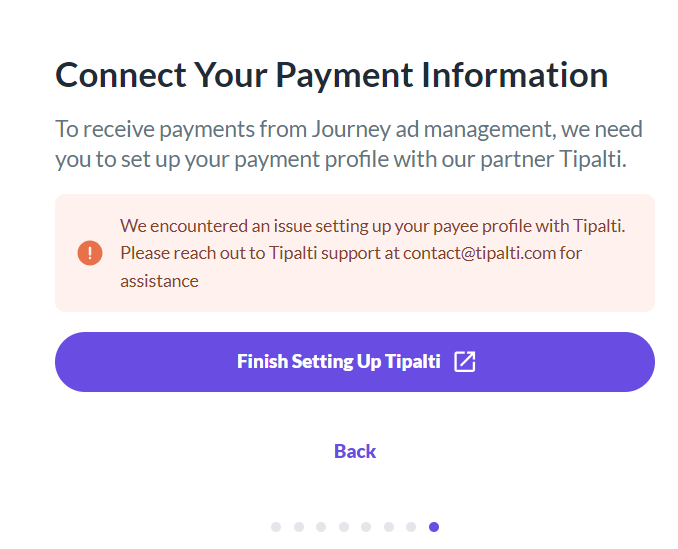
We encountered an issue setting up your payee profile with Tipalti.

Hi There,
I've joined Journey by mediavine recently. After setting up my account, I'm facing the following issue. (I've Selected Hold Payments options) screenshot attached:
I've tried contacting Tipalti, but no response.
Can you please assist me on this issue?
-
Official comment

Sarra Bourezg Could you write in to payments@mediavine.com? That way we can take a look.
Just a heads up - Payments@mediavine.com is only for payment-related questions. Any other questions should still be directed to the community.
-

Hey Saif,
Can you confirm that everything else within the payment profile has been filled out?0 -

I have same problem and everything has beed filled and no anwser from Tipalti
0 -
Hey Sarra Bourezg How long did you email Tipalti?
0 -
5 or 6 days
0 -
Ok i sent email to payments@mediavine.com i am waiting now
0 -

Hi Hamza was your issue solved? I m facing exact same issue but getting no reply from Tipalti & Mediavine Team. Your guideance will be of value to me.
0 -
Hi Shah - I tried to find your email to payments@mediavine.com but I didn't see anything. Did you write in?
0 -
Hey Shah - I looked again and I'm not seeing it so it could have been routed to spam. Can you send in another email to payments@mediavine.com? You can put Attention: Mary in the subject line and I'll keep a lookout for it.
Be sure to include the domain/URL and a screenshot of the error message you're seeing.
P.S. I'm going to go ahead and delete your messages just to make sure I'm not having your email address listed publicly.
0 -
Again sent the email.
0 -
Got it!
0 -
Mary is there any update to my payee profile issue. Your team member asked me to do that in incognito tab. I did that multiple times from different browsers but issue presists.
Kindly give some solid solution.
0 -
Hey Shah - You'll want to continue to work with our Payments team via your email thread. If the issue persists, let them know so they can continue to troubleshoot with you.
0 -

Hi,
I am also getting the same error. Tried multiple times. Sent an Email to Payments Mediavine and the Support Team for Tipalti.
Is there any fix?
Regards
Hritwik Raj
0 -

I have same problem and everything has beed filled and no anwser from Tipalti
0 -

Support I am facing the same issue. Any solution?
0 -
To all the people who are facing issue, do not put your payment on hold. Must add bank details & this will resolve your issue I hope.
It worked for me atleast.
1
Journey is Self Supported
Please sign in to leave a comment.
Comments
17 comments