Privacy Policy not found
Answered
Not sure if this is a bug, seems like many are having this issue?
Site 100% has a privacy policy, linked to from footer. Exact link to privacy policy was added and yet get “Privacy policy not found at the provided URL. Check your privacy policy and try again.”
Checked Cloudflare settings, no firewall enabled, checked server settings, could not find anything that would cause this issue.
Is there no way to manually add the privacy policy script, rather than having Journey add it for you via their bot?
I'm stuck and not sure what to do. Have waited months to get here and now have to wait agin :(
-
Official comment

Hi guys! We're looking into this on our end since it appears to be a widespread issue, and we currently have a thread about it here. We'll post all updates in that thread and hopefully will have this resolved shortly, but in the meantime, it won't have any impact on your ads or performance if you go on and finish the onboarding process.
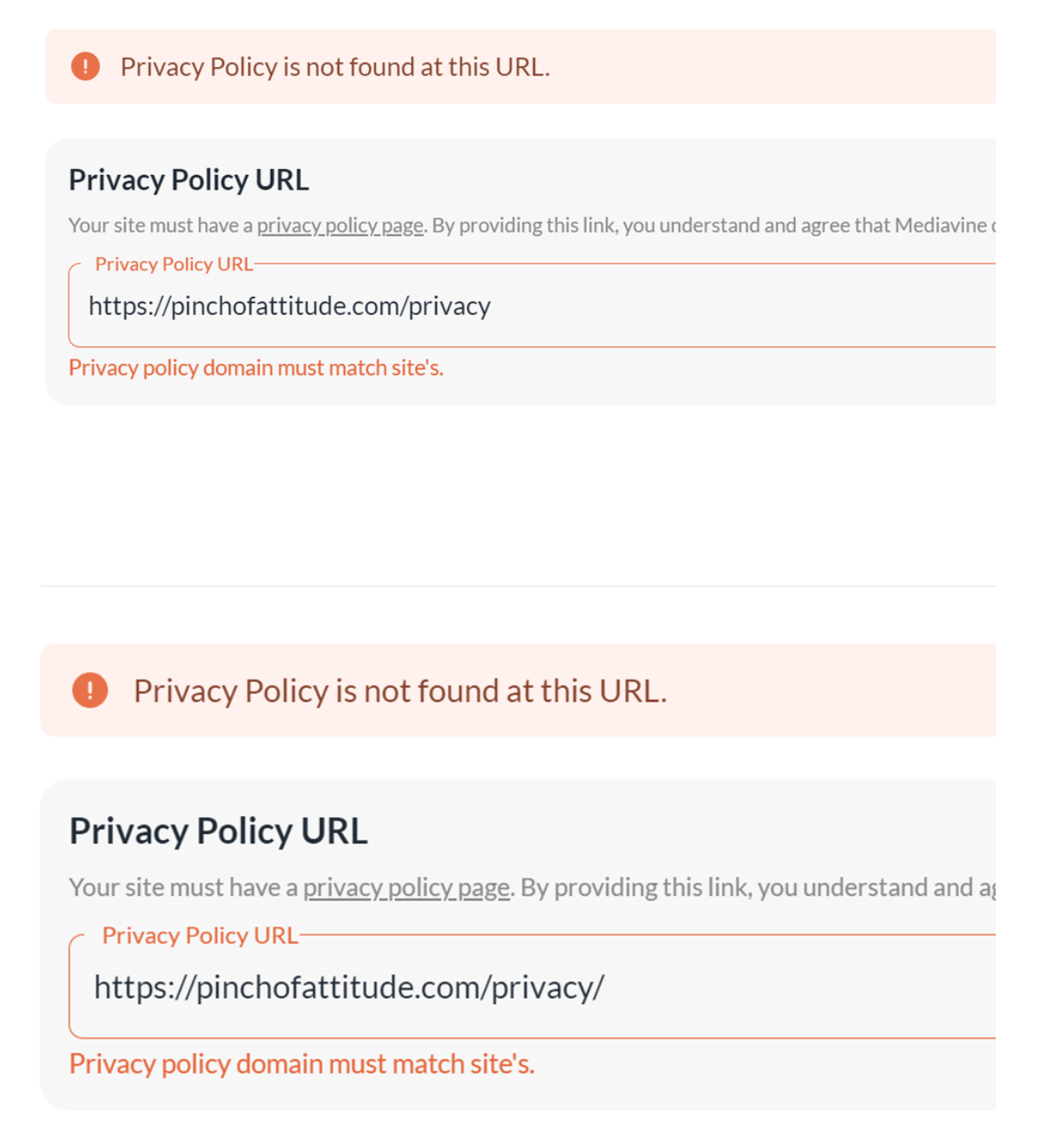
Update: if you add a trailing backslash to the end of your privacy policy URL, then it should be able to see the privacy policy. So for example, you would enter privacy-policy/ instead of just privacy-policy.
Also, please make sure the ad script is installed in the <head> area of your site and isn't being optimized by anything, since this could also result in issues with the Privacy Policy during onboarding.
-

Hi, I am having the same problem. I went through all the troubleshooting provided and still I get the error message saying my privacy policy was not found. My privacy policy URL is: https://everydaylatina.com/disclosure/
Thank you,
Gemma
0 -
Thank you for the follow up. Figured it was a bug of some type. The problem was the steps to continue wouldn't open up until I past the privacy policy step. I reopened the the dashboard, refreshed the screen and it took me to the last step. Others might get stuck there as well. Thank you!
0 -

Hi Derek,
How did you refresh the screen exactly? When I refresh, it stays on the privacy policy page and I still can't get past it.. :(
0 -
Was a number of times but also I logged out, logged back in and I think it just updated with taking me past the Privacy Policy not found error message.
0 -

Hi there
During the onboarding phase, my privacy policy was accepted fine. However, the next day I got the below error message. Can I get assistance in resolving this issue, please? I input with a slash at the end and without it, it still gives me the same error message. Thanks, Ponloe.
 0
0 -
Hi Ponloe! I'm not seeing that Privacy Policy error on my end - could you log out and back into your dashboard and let us know if you're still getting the error on your end? Thanks!
0 -

Hello,
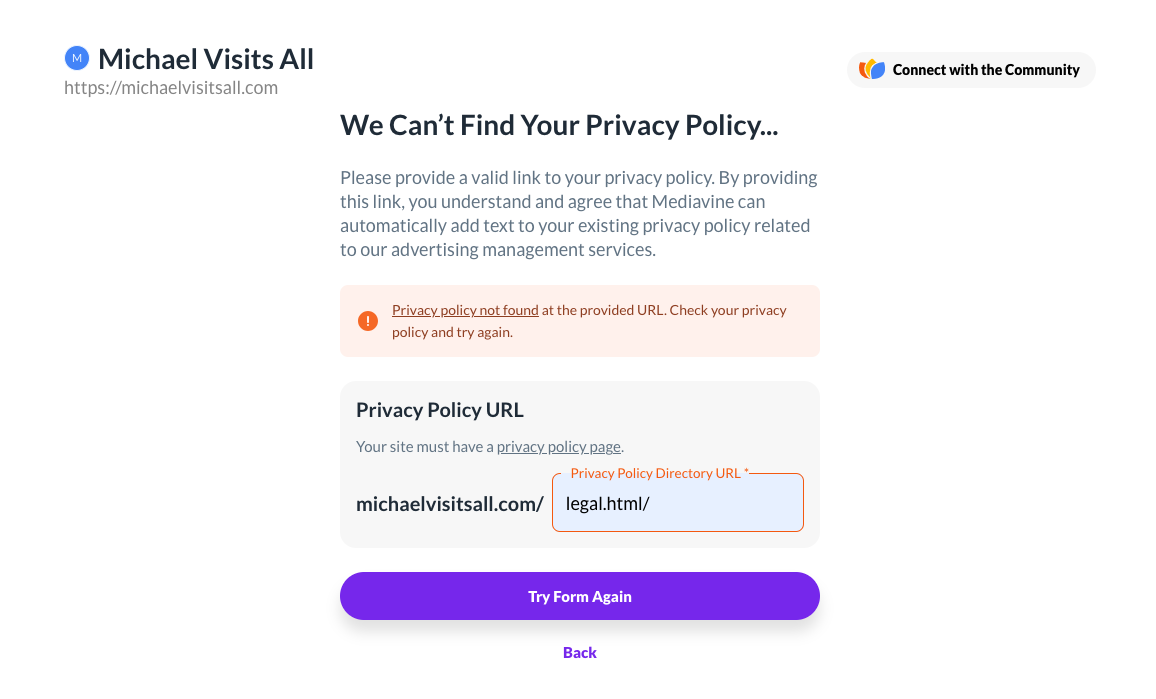
For my website Michael Visits All, I am having the same issue. Even after putting a “/” after my URL, I can't get past this step. I even contacted my web host, GoDaddy, requested they whitelist you guys, and I'm still getting the same issue:
 0
0 -
Hi Michael! The issue in this case seems to be that we're not seeing the Journey script on your site. I would make sure the Journey script is installed in the <head> area of your site and isn't getting optimized by anything. You should be able to see the Journey script in the source code to confirm it's not being optimized. Then you should be able to put in your Privacy Policy and finish onboarding.
0 -
Hi there, Rachel! When you say the Journey script, do you mean this:
<script type="text/javascript" async="async" data-noptimize="1" data-cfasync="false" src="//scripts.scriptwrapper.com/tags/938eb38f-d0ec-4ef8-90ea-8b356f7d5787.js"></script>
If so, this script is installed on my homepage, my privacy policy page, and a majority of the articles on my website, and it is in the <head> tag.0 -

Hi Michael,
If you get the script installed in the head globally on the site, it will hopefully take care of this issue for you. There are some additional details on this in the thread that Rachel linked in the Official Comment above. Thanks!
0 -
John,
Thank you for your help. I installed the script globally and I also added a <link rel="privacy-policy" href="https://www.michaelvisitsall.com/legal.html"> to my page with the privacy policy. It is now working and my ads are set to be running shortly.
0 -
Felix Javier Arbelo It looks like this is because the ad script isn't present on the privacy policy page. In order for the dashboard to pick up the privacy policy and to comply with the Journey terms of service, the ad script needs to be installed universally on the site on every page. Once it's installed in the <head> and is serving on the site universally, you should be able to finish onboarding!
0 -

I am having the same issue and can't move forward with onboarding. I also 100% have a privacy policy and it is linked in the footer. Added the / after privacy-policy and still stuck.
0 -
Kristy Haare It looks like the dashboard isn't accepting the privacy policy because it's not detecting the script on your site. To finish onboarding, the Journey ad script needs to be installed globally in the <head> area of your site.
Here's an article on how to install the Journey ad script with the Grow for WordPress plugin and here's one on how to install it manually.
0
Journey is Self Supported
Please sign in to leave a comment.
Comments
15 comments