Error Messages on Analytics Page

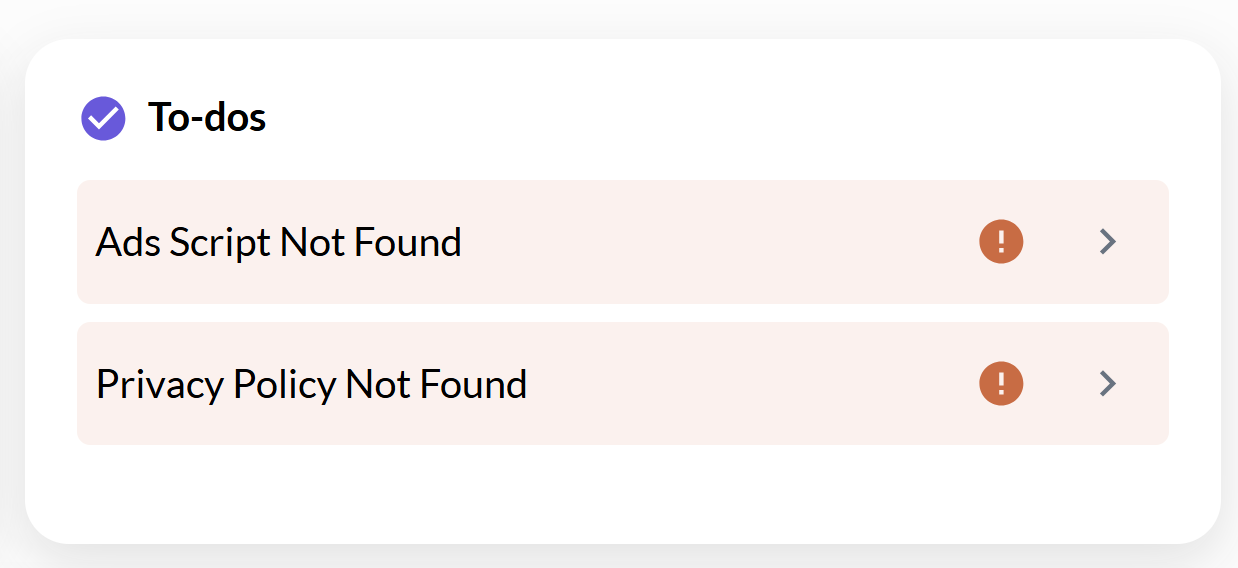
Hello, I've had these error messages before (see attached image) and it went away for quite some time but is back again. Additionally, ads aren't showing on my site. I've followed the troubleshooting steps with no success. Can someone check this out and see what might be causing it?
-

Lauren J O'Malley - I'm seeing your ad script (and ads) serving on your site, but it looks like your SSL Certificate (HTTPS) is invalid, which may be what's causing the errors you're seeing on your dashboard.
Could you connect with your host to see if they can take a look at your SSL implementation on your site?
0 -
They sent an email saying I needed to update some things in Wordpress (one of them being Wordpress). Can you see if my SSL Certificate is still invalid? Just wondering if this will fix the issue before having them change anything.
0 -
Lauren J O'Malley - our monitoring services expect that your site is SSL secure, so we'll want to make sure that this is resolved before we continue troubleshooting.
0 -
Hi again. We figured out the issue. Just had to do with where my DNS was pointing (my cloudflare expired and we had to point the DNS back to my new host) I'm attaching his comments so I can have it for future reference for myself or anyone else experiences the same issues.
"Upon checking the issue, I have noticed that the website yourwebsite.com doesn't seem to be hosted with Hostinger - it's domain is still pointing to https://buyvm.net.
The IP of your hosting plan here at Hostinger is xxx.xx.xx.xxx - any websites that are hosted here should use it.
However, when I check yourwebsite.com, it uses xxx.xxx.xx.x.
your domain (yourwebsite.com) is not pointing to Hostinger - it's now opening a website that's hosted elsewhere.
You would need to update the DNS record in your DNS zone to make it pointed to Hostinger.
To make it pointed to Hostinger, access your DNS zone here: https://hpanel.hostinger.com/external-domain/thestyledabode.com/dns
Then, edit this record:
Change the IP to xxx.xx.xx.xxx
Also, delete this one:
The website should be available within the next 24 hours, once DNS record propagation is complete."
0 -
Glad to hear that you figured it out! It looks like those errors on your dashboard cleared up as well.
0 -
Yes! They went away within 5 minutes. Just have another question: Around the time Cloudflare expired, I had a boost in ad revenue where it doubled for two days, then tanked. Would this be due to the DNS issue? I assume the lower ad revenue would be a cause of it, but right now I can't see my RPMs for the higher revenue because I switched to Google Analytics and could never figure out how to get it to work, which I could use some help with as well.
0
Journey is Self Supported
Please sign in to leave a comment.
Comments
6 comments