I tried everything - still can't add the Ads Script to my Website

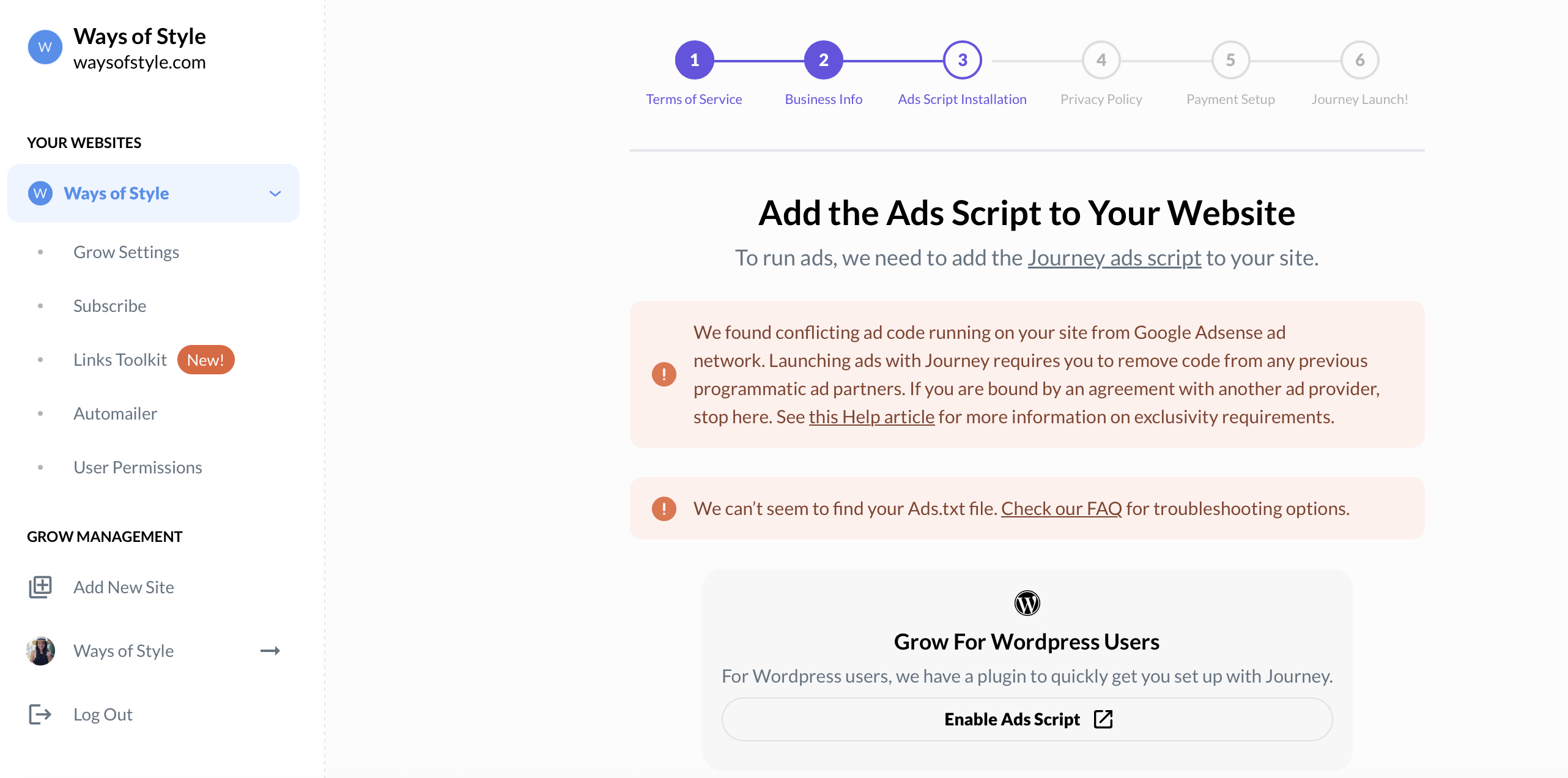
Hi guys, I’m reaching out because I can’t seem to figure how to remove all Ads TXT files from my site. I’m not very technical, but I’ve read all your support articles and here’s what I’ve tried:
- I used to have Ezoic. I canceled my contract with them and deactivated the app. They confirmed it’s all disconnected.
- I have the Google Site Kit plugin as well. AdSense is not connected.
- I went ahead and checked pages, and found one Ad. I did the ‘Show Page Source’ and I do see Ads TXT files in there (I think) but I really don’t understand what any of that means, and I don’t want to mess anything up.
(I’m attaching some screenshots - this is the link I was viewing: https://waysofstyle.com/wrinkle-free-travel-clothes/)
After checking in more places, I found I had Jetpack Ads. So I disabled Jetpack Ads, which I didn’t even know I had. Now I don’t see any ads, but I still cannot connect Journey successfully.
- I don’t have many plugins on my site. At least not the ones you guys mentioned on your Help article: Ad Inserter, Code Snippets, Advanced Ads.
- I checked all the ad codes you guys listed following the instructions to search via ‘page source’ and none of the codes you shared were found.
- As for the other steps you guys mention on your article, I really don’t know what a lot of it means or how to delete what needs to be deleted.
Also, I found this article on your community: https://journeymv.zendesk.com/hc/en-us/community/posts/39786716668955-Cannot-complete-onboarding?input_string=I%27ve%20tried%20everything
So I went ahead and emailed GoDaddy. They confirmed the Firewall is not blocking any requests from you.
Is there a way you guys can help with the setup? I’ve installed Grow and connected my site successfully, but I can’t move beyond this point on my own.
Please let me know if you guys can help!
Thanks so much.
Aimara
My site: www.waysofstyle.com
-

Hi Aimara Mayorca - it looks like we're seeing Adsense code running on your site. This screenshot was taken while on your homepage:


These scripts are what's causing the error you're seeing when onboarding. If you're unable to locate exactly what is injecting these scripts on your site, I recommend contacting your hosting provider.
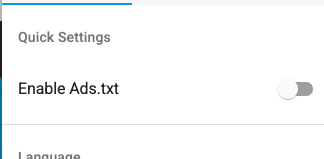
It also looks like your out-of-date Ads.txt file is currently hosted by adstxtmanager.com, which is managed by Ezoic. To disable this, you can log in to adstxtmanager.com, navigate to the menu, and ensure this setting is disabled:
 0
0 -
Thank you so much for your help! I just submitted a ticket to GoDaddy so they can delete it. I also just created an account on adstxtmanager.com and turned off the ‘enable ads.txt’ - I didn't even know I had that. Thanks again! Hopefully I can complete the onboarding soon!
0
Journey is Self Supported
Please sign in to leave a comment.
Comments
2 comments