tech support

I had disabled my Grow plugin for awhile and then turned it back on about a week ago. My RPM is VERY low so I must have broken something. Where can I contact support?
-

Hey Angie Kunze - Before connecting GA4 to your dashboard, performance was tracked through your Grow plugin. When that was disconnected, metrics like your RPM and sessions weren't being tracked so your 30-day view will look pretty low.
Now that you've connected GA4 to your dashboard, those metrics can resume tracking, but your 30-day view will look skewed in the meantime.
Luckily, even without the Grow Plugin or any analytics, your earnings would remain correct. You are paid through impressions, which are tracked separately regardless of any disruption in analytics!
0 -
Oh wonderful! thank you so much! I was just doing a little site speed testing and that's the reason I turned it off, and then forgot to turn it back on for a couple of weeks.
0 -
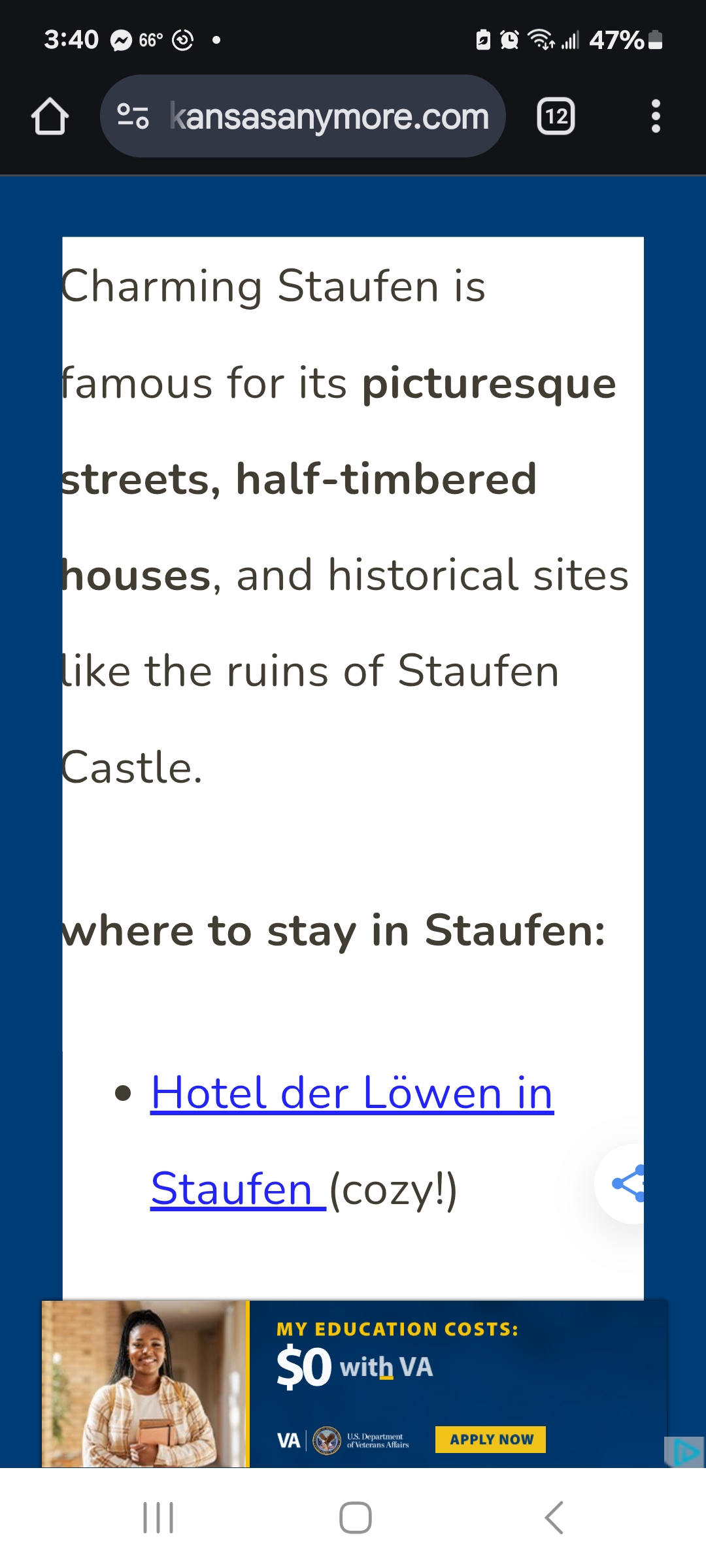
Hi. I'm considering disabling the plugin again. Each time I close out an ad it comes right back again. AND this border keeps appearing as I scroll through an article. As you can see it obscures the beginning of the text. It is horribly distracting and I feel like user experience is suffering. is there any way to prevent these?
0
Journey is Self Supported
Please sign in to leave a comment.
Comments
3 comments