New To Journey -- Ad specific questions
Completed
Hello,
Our site is: RootsOfLoneliness.com
We just installed the the script last night and I have a few questions/issues:
- First off, the ads to not have a (x) that you can click to close the ad. Previously, there were options to allow a user, especially on mobile, to close an ad should they choose. I see now way to do this in the settings?
It is bad UI/UX to force a visitor to see an ad like this, and we've recently recovered from HCU and do not want further disruptions to user time on page and satisfaction.
- The script right now is only loading ads on the bottom banner (see above) but nowhere else – we have side bar real estate, etc, but nothing is showing as of now. Will that change?
- There is now a “Do not rent or sell my information” link showing in our footer that was not there before, how can we remove this?
Thanks!
Chris
-
Official comment

Hi Chris Fernandez ! I've answered your questions below.
1. Journey hasn't ever had the option to close ads. As a company we always put user experience first and would never implement anything that results in a loss of traffic or rankings, so I can assure you in our testing, this hasn't impacted user experience. We do appreciate this feedback, though!
2. It looks like the script needed to re-crawl the site, so I went ahead and did that and you should be seeing content ads throughout your post content now. As for the sidebar, there's not a sidebar ad loading because the sidebar sticks as the user scrolls. This will overlap and conflict with the sidebar ad. If you disable the sticky functionality of the sidebar though, you can let us know and the script should be able to place the sidebar ad.
3. The link you're seeing in the footer is required in certain states (namely California) by the California Consumer Privacy Act (CCPA) in order for sites to remain compliant with state privacy laws. It will only display in states that require this privacy act, and it can't be removed since it ensures your site remains compliant.
Thanks!
-
Hello Rachel,
Thanks for the follow up, some updates:
1) We have disabled the sticky sidebar, so you should now be able to use it for ad units2) I had a question about disabling ads to show on certain pages – we have pages like our “About” and in particular a page we use for a loneliness quiz and others where we do NOT want any ads to be shown – how can we do that?
Thanks!
0 -
Chris Fernandez You're all set with the sidebar ad and can remove certain ad placements by using blocklist code, which is outlined in this help article.
0 -
Thank you Rachel, I appreciate the help.
0 -
Hello Rachel,
A few additional questions as we gather data now and have installed the code and ads have been running for a few weeks.
1) In the reporting, there doesn't seem to be any RPM that shows up:
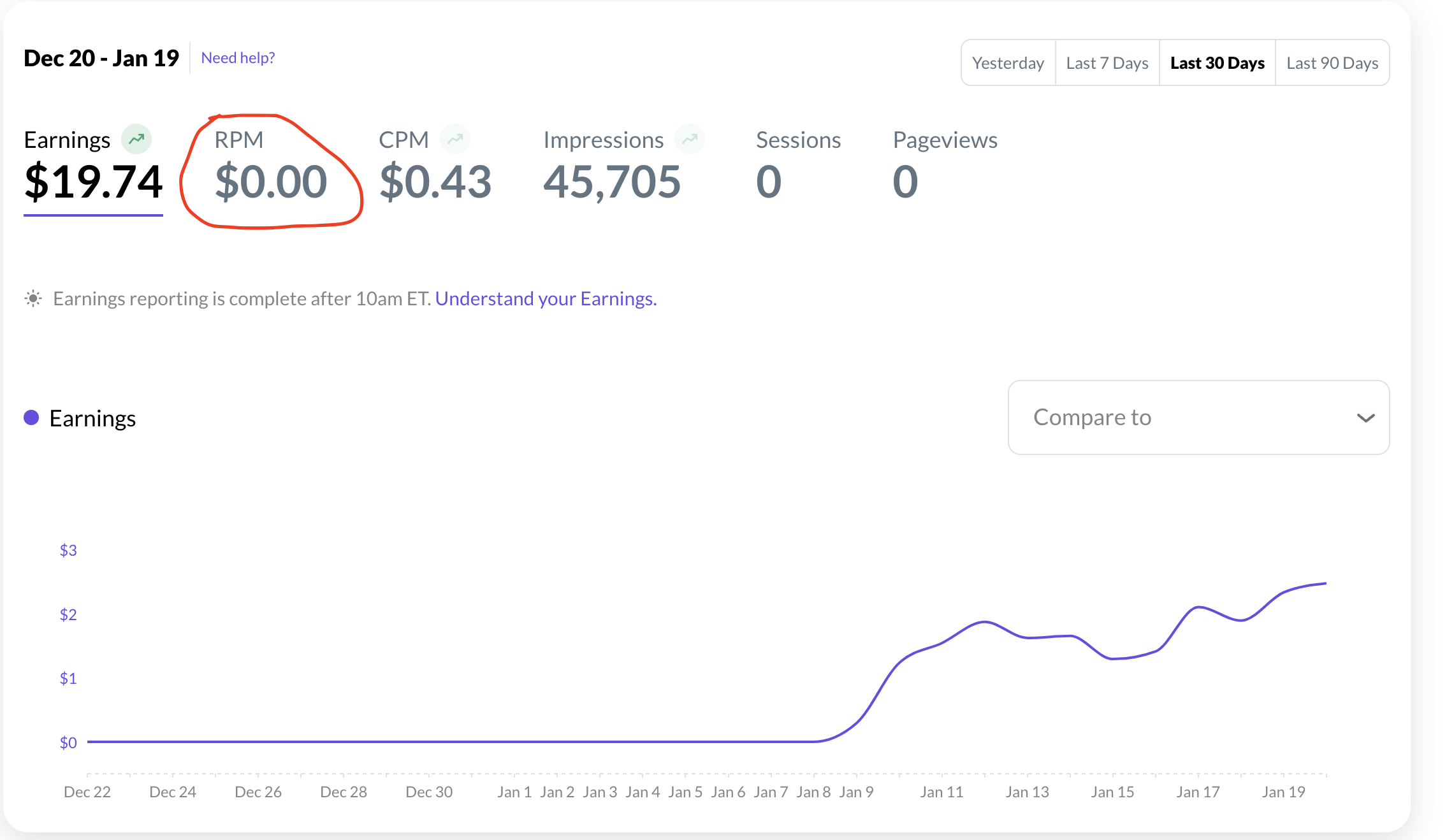
Why is this?
The same is happening for sessions, pageviews, etc – no data is being recorded, or at least reported. There are other stats that are not showing either.
2) Why is the CPM rate so low? I can't see the RPM but I would gather that it would be similar? I know ad rates are lowest this time of year, but this is beyond low.Thanks again!
Chris0 -

Hey Chris Fernandez - It looks like you don't have Grow on your site.
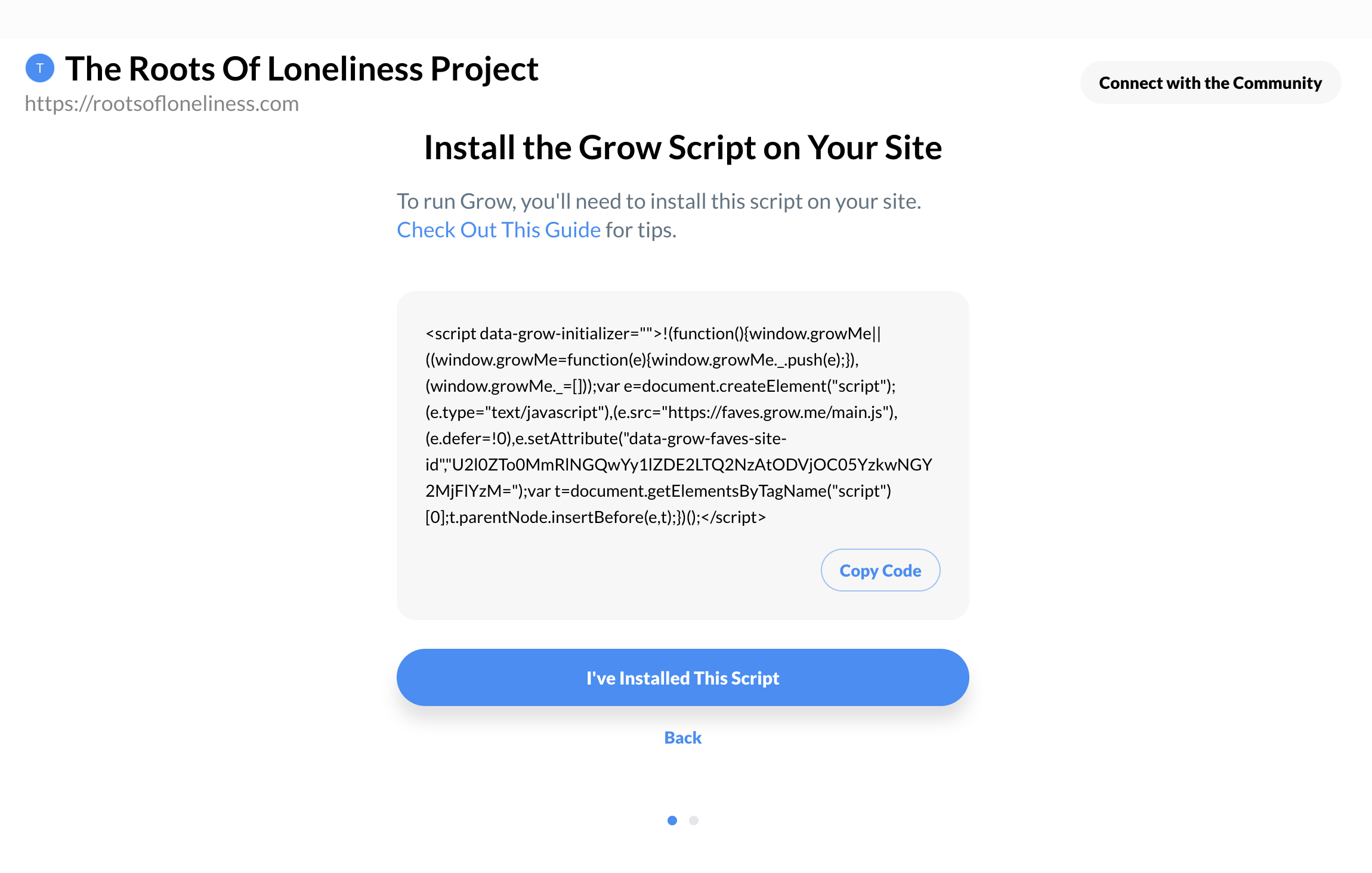
While your earnings are tracked separately by the ad server, but you need Grow installed to track the rest of your metrics. You can use these instructions to re-connect Grow.
Once you get that set back up, let me know and I'll re-check!
0 -
Hello Mary,
Ah I see – the issue is that I do not want to install grow on the site for many reasons.
I am ok for now not knowing those other stats as I can do a backwards calculation via the earnings and impressions to get the RPM for now.
0
Journey is Self Supported
Please sign in to leave a comment.
Comments
7 comments