Can't find ads.txt - help!

Help! I am stuck in a perpetual cycle.
I click to enable ads.txt - which takes me to my wordpress login. I login, and add wp-admin/admin.php?page=grow-journey-enable to my domain name, which takes me to the enable button in the Grow plugin. I hit enable, get a success message.
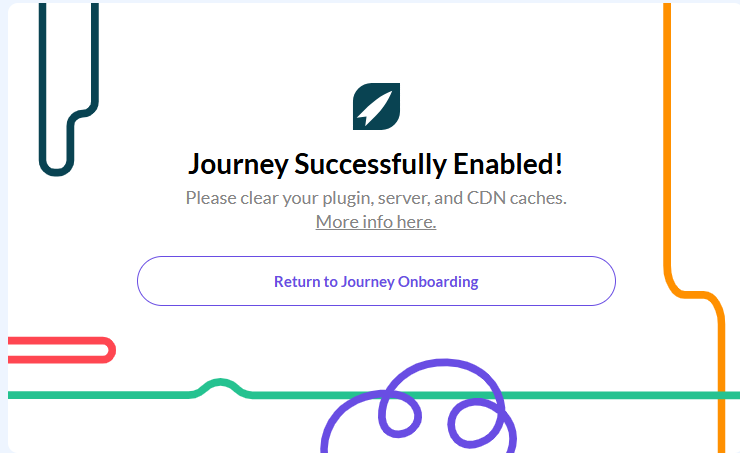
I return to the onboarding to see this message:

I have cleared the cache 100 times, I have removed my previous ads.txt from Google Adsense (or so I think). I checked the robots.txt and see this:
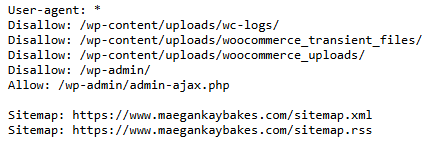
I don't know what any of that means, but I t doesn't look like the ads.txt is disallowed?
I did not have any previous problems with my Google adsense account. When I clear cache and refresh I get the same error message.
Help! I cannot get past this step! I get a message saying it is succesffuly enabled, but then it cannot find the ads.txt code.
-
Official comment

Hello! We have a great article here that goes over how to troubleshoot a missing ads.txt file.
Another option would be adding a redirect to our servers so you don't have to manually update the ads.txt file any time there's an update, and you can read instructions on how to do that here. Your host should be able to help with this.
Thanks!
-

I have the same problem!
0 -

I just got my invitation and but have the same problem with setting up ads.txt file.
Please help someone. I am desperate.
Thank you.
Monika
0
Journey is Self Supported
Please sign in to leave a comment.
Comments
3 comments