Adjust density settings after 30 days
Completed
Hello.
When i try to browse Journey Settings from my dashboard it shows the following error:
Error: Failed to construct 'URL': Invalid URL
I hope to get this resolved soon.
-

Hey Mudasir khan - thanks for reaching out! Our engineers are currently investigating, and as soon as we have an update, we'll follow back up.
0 -

I am having the same issue. It is very frustrating as I have waited 30 days to change the ad placements and the day I can finally do this there is an error.
0 -
Hi there! We've recently pushed out a fix for the reported behavior - if you continue to have issues, I recommend logging out and back into your dashboard.
0 -
Hello
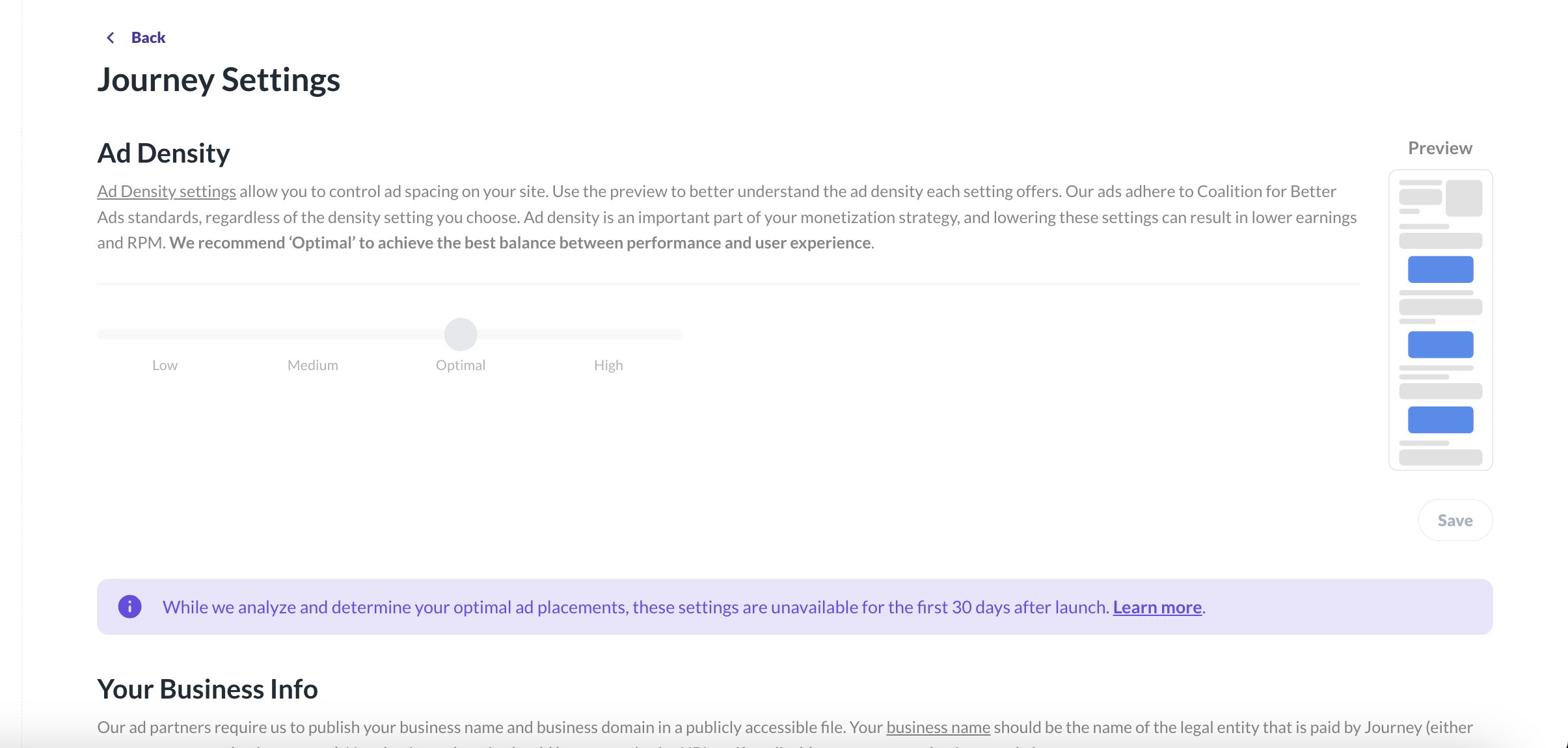
Thank you for the update. It is not showing the error now, however, I'm still unable to customize the ads despite passing the 30 period.
I started using Journey on 17 on Sept, and I was expecting to be able to customize the density today.
 0
0 -
Mudasir khan - if you haven't recently, try logging out and back in. This should force the settings to update after you've passed the 30-day mark.
0
Journey is Self Supported
Please sign in to leave a comment.
Comments
5 comments