Ads are not visible - Using the Static site generator but added entry-content class
Answered
Hello,
I have been recently accepted into Journey and successfully completed the onboarding successfully.
I'm using the Astro static site generator to build my site.
Ads are not visible inside the content. As suggested in this help article, I have added a class ‘entry-content’ for the div that wraps the content. But that doesn't help.
I tried to add the content hints as suggested in the article: https://help.mediavine.com/en/articles/95002-how-to-manually-place-ads-in-your-content-with-content-hints as:
<div class="content_mobile_hint"></div>
<div class="content_desktop_hint"></div>
But it seems it may need retargeting from your side.
Could you please help?
Sample URL here: https://www.docstomarkdown.pro/comments-in-markdown/
-

Hi Vikram Aruchamy ! Content hints aren't compatible with Journey sites currently and will prevent the ad script from adding any other content ad placements if even one hint is on the page, so you'll want to remove the hints as soon as you can. It also looks like you hardcoded the data-content-ads-inserted="true" attribute on the class .entry-content, and you'll want to remove that attribute as well (but keep the .entry-content class) since it's likely confusing the ad script. Once the hints and attribute are removed, that should do the trick.
Thanks!
0 -
Hi Rachel, Thanks this worked.
I hardcoded the data-content-ads-inserted because ads were not visible as soon as i inserted the script. May be it took some time to load the ads.
I would like to show a sidebar ads. Could you please let me know what should be the sidebar div name/id. So that i will ad that and let you know so that you can retarget to enable sidebar ads.?
0 -
Hi Vikram Aruchamy ! Glad that worked. Right now your site's posts have a full-width template and I'm not seeing a sidebar or anything we could target, but if you add one, Journey should automatically be able to target a sidebar with the class of .sidebar.
0 -
Thanks .. I added a sidebar with class .sidebar and it works now.
Let me say how it goes :)
0 -

Hey Vikram Aruchamy - thanks so much! I'm seeing a sidebar ad placed by Journey, but I noticed the ad is loading off the page due to how the width of your content is set in your CSS
Specifically, there's a width: 80% set here which causes part of the sticky sidebar ad to load partially off the page.
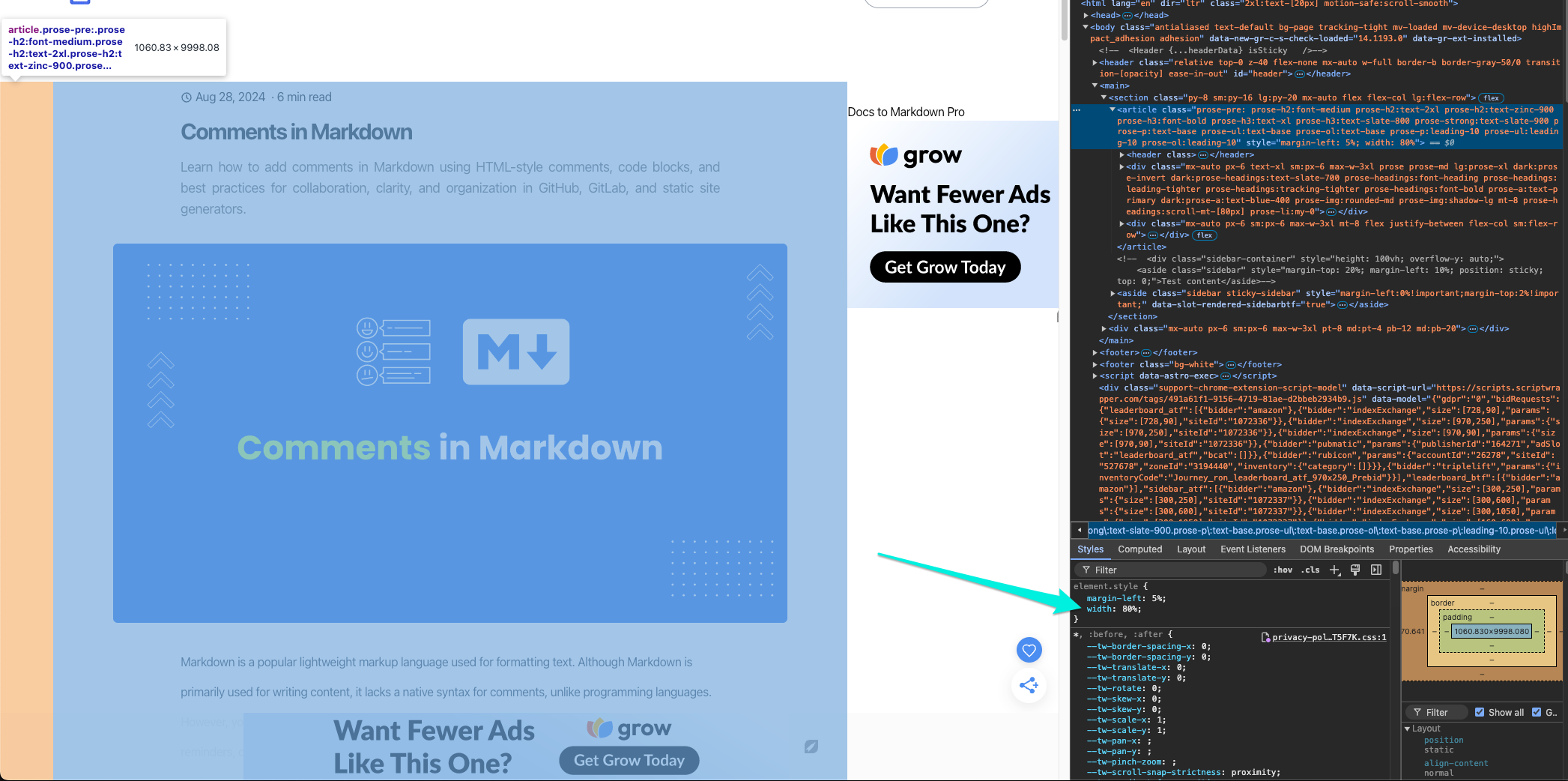
Adjusting the width down to something like slightly smaller (based on my testing, something around 70% seemed to work great) would keep the sidebar ad on the page.
0 -
Thanks for the hint. Now i have adjusted the margin of the sidebar so that it moves a little bit closed to content and fully visible. Lets see how it works.
0 -

Initially, we planned to use Mediavine’s hint elements, but after reviewing this thread, it seems this approach might not be viable.
Our challenge is that our site functions more like a tool (e.g., a calculator/price checker) with minimal written content. Because of this, we anticipate needing some guidance or custom targeting to define where the “in-content” sections should be.
Has anyone successfully implemented in-content ads in a similar setup? Any suggestions or alternatives would be greatly appreciated.
0 -
Hi Jason ! Journey doesn't have any options currently for custom ad targeting/placement, but we appreciate the feedback. Your best option for running content is making sure you're using a post template and long form content wherever you want ads to appear. If you end up making this change, you can let us know and we'll have the script recrawl your site.
Thanks!
0
Journey is Self Supported
Please sign in to leave a comment.
Comments
8 comments