Payment Issues - Located outside US

Hi, I am setting up Journey and have a problem when I come to the payment section. I am in Europe and my address is based in Ireland. However, all of my business work is dealt with in USD. When I try to set up Tipalti, it assumes my payment currency as EUR.
I have a bank account based in USD via Wise. Should I enter that address instead?
-
Official comment

Hi Caitriona!
In Step 1, you'll want to put in your actual physical address where you live and then click “Select to be paid in a different country than the above” at the bottom.
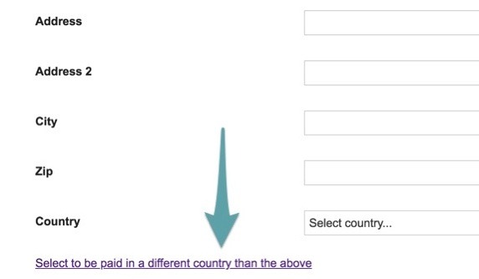
Step 1 needs to be your actual address but then once you move on to Step 2 you can enter your account information.Select the Direct Deposit/ACH payment method option and enter the Account and Routing numbers provided to you by Wise. (We recommend typing in your account details rather than copying and pasting, as the latter can cause the last two digits of your account number to be left off.)
-
Thank you!
0
Journey is Self Supported
Please sign in to leave a comment.
Comments
2 comments