We encountered an issue setting up your payee profile with Tipalti.

Hi There,
I've joined Journey by mediavine recently. After setting up my account, I'm facing the following issue. (I've Selected Hold Payments options) screenshot attached:
I've tried contacting Tipalti, but no response.
Can you please assist me on this issue?
-

Hi Sarra,
It looks like that screenshot didn't come through. Could you try uploading it again or linking to it?
0 -

I am new and trying to set up my payment information but it doesn't accept any of my physical addresses. When I choose to be paid in a different country, I choose the US because I would want to paid via Payoneer, it doesn't give me any further options.
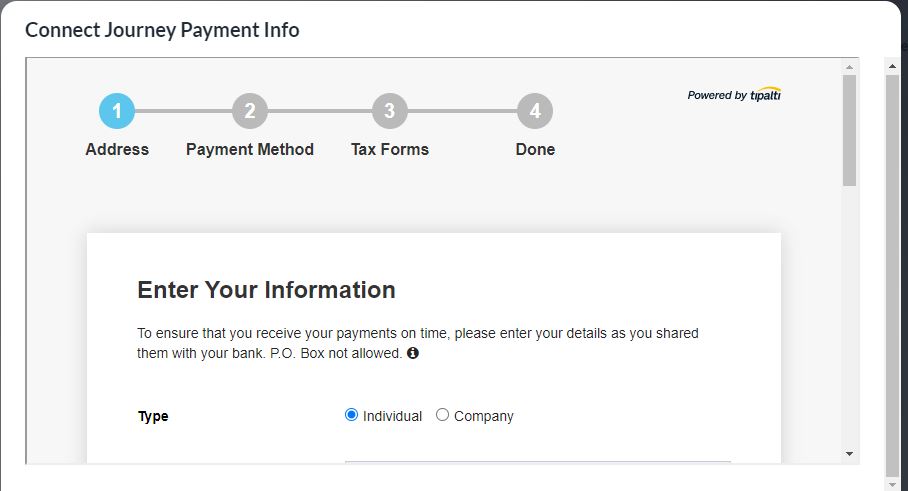
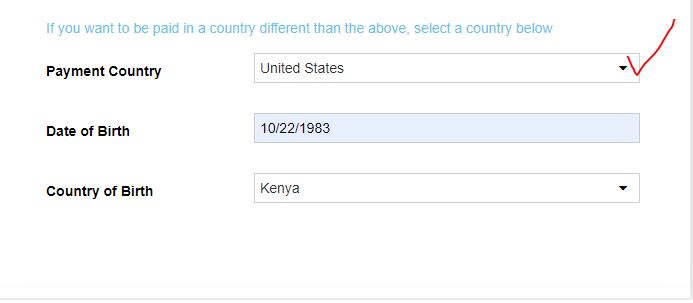
Instead, it tells me the address provided is not verified. My worry is, that it is not verified by who yet it is my physical address. Besides, doesn't it say if I want to be paid in a different country apart from the one that appears above, thus the above information doesn't really count?
0 -
Hey Wycliffe Nyaanga When setting up your Payment profile, do you have the option to click Confirm and Continue at the bottom of that pop-up in your screenshot? It typically looks like this.

If you see these buttons at the bottom of your screen - You can just hit the confirm and continue button after. It may pop-up twice so you may have to hit confirm and continue twice, but then it should let you continue forward.
0
Journey is Self Supported
Please sign in to leave a comment.
Comments
3 comments