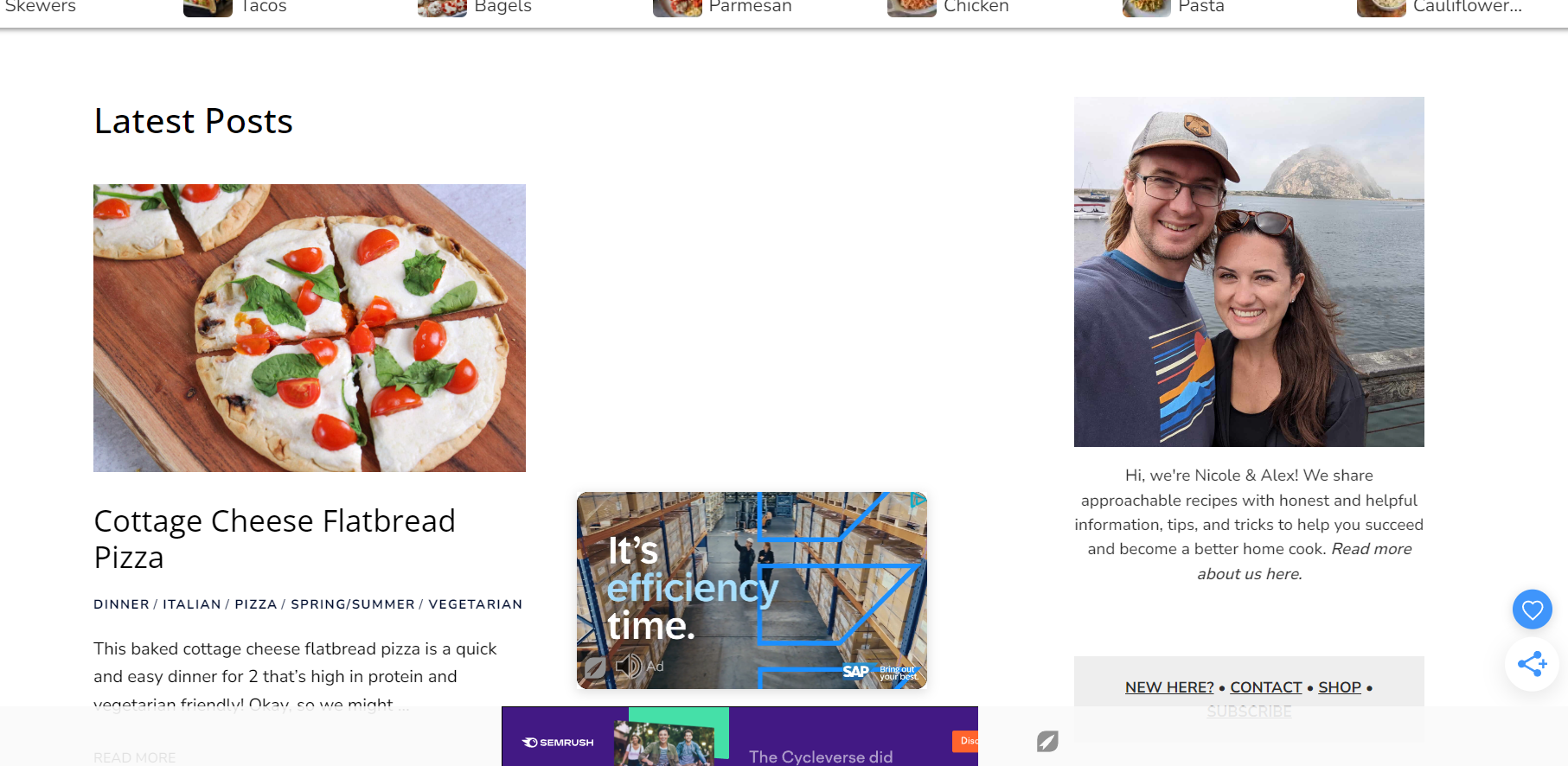
Video Ad centered on page
Answered
Hello, the video ad on our site is displaying centered on the page, is it supposed to be like this? Or is there a way to have it justified to one of the sides? It shows up centered on all page for both desktop and mobile.
-

Hi Nicole,
Thanks for reaching out. I was able to take a look, and there was actually some global CSS running on your site that was adding an auto margin to the Universal Player and causing it to display centered. I was able to make an adjustment to keep the CSS from applying, and the player should no be displaying correctly.
0 -
Interesting, thanks for letting me know and excluding the ads from that. Can you share a snippet of the global CSS code? I need to look into it and see what is implementing that… Thanks for the help!
0 -
Hi Nicole,
Absolutely. Here's the rule that was applying:
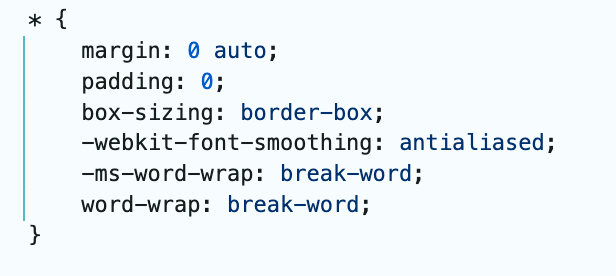
The rule looks to be in the main CSS file for your theme. Ideally, you'd want to make sure you're not setting margins or padding on any of the ad boxes, since that can potentially cause display issues like ads getting cutoff.
0 -
Thank you very much for the help! I was able to find and identify it. It appears to be a default setting from the theme. I'll be looking into it more. Thanks again!
0 -

Hi, we are seeing the same issue. www.agourmetfoodblog.com We have read about inserting HTML to specifically block video ads only, but that is going to force us to update hundreds of posts with that specific HTML code. Is there another way to do this?
TIA,
bill
0 -

Hi williamhebb ,
If you would like to move that video ad to the corner of the screen, which is our recommendation because it's a high revenue ad unit, feel free to adjust the CSS that was pointed out earlier in this thread.
Otherwise, if you want to remove this ad unit from your site, feel free to follow the steps found here, and add the blocklist code to your entire site by adding it to your header or footer.0 -
Sorry but a div, which is what the blocking code is within, cannot be placed within <head> and </head> tags. If I place it in the footer will it be read before the video loads?
0 -
Hi williamhebb , you should be able to place the blocklist <div> within the <header> or <footer> element in order for it to be functional.
0
Journey is Self Supported
Please sign in to leave a comment.
Comments
8 comments