Disable ads on specific pages
Completed
Hi there,
Is there a way to disable ads on specific pages? I only want ads to appear on posts at the moment. But I'm having trouble finding the option to disable/enable ads for specific content.
Thanks,
Lee S.
-
Official comment

Hi Lee! We have an article here that goes over how to block ad placements on specific pages.
-

Hi, Support. Is this going to be anywhere on the page or in the Post Specific CSS, footer, body, or header section that disables the ads on the page?
0 -
Hi Khris ! You can just use a Custom HTML block on the specific page. The article linked in the official comment also goes over different ways to insert the code depending on the platform your site uses at the very bottom of the article.
Thanks!
0 -

Hi Support I used the HTML code at the link above (<div id="ad-management-config-settings" data-blocklist-all="1"></div>) and added it to an HTML block on my Wordpress page. I also cleared my site cache. The ads are still showing up at this link. Any advice?
0 -

Hi Amy Sloan - I recommend double-checking that you've added that HTML to a HTML block on your page - this is the most common reason we see for this type of behavior.
Otherwise, feel free to post a link to a post and we would be happy to take a look.
0 -
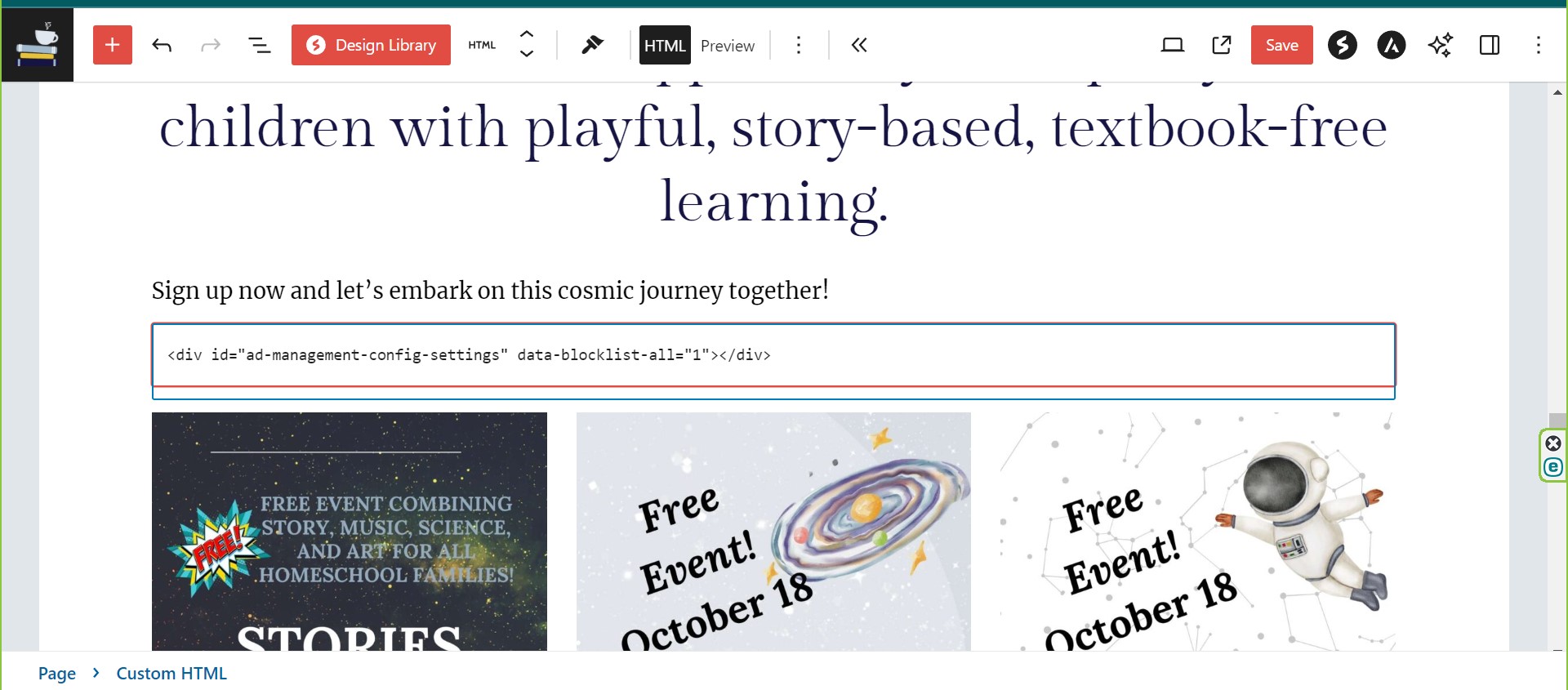
Hi Support yes, I used an HTML block. I'll attach a screenshot here. Here is the link to the page: https://www.humilityanddoxology.com/storiesinthestars/ Thanks for any help!
0 -
Thanks Amy Sloan! I checked this post in a new incognito browser, and I'm not seeing ads. If you haven't yet, I recommend doing the same, as browser caching can sometimes show the post without any of the recent changes.
0
Journey is Self Supported
Please sign in to leave a comment.
Comments
7 comments