Privacy Policy Not Found
Featured Answered
I contacted my host to make sure it wasn't a robots.txt issue - they told me they could the link was successfully crawled by Mediavine: 3.89.223.27 - - [30/Apr/2024:10:17:55 -0500] "GET /about/privacy-policy/ HTTP/2.0" 200 15447 "-" "MediavineMetadataParser/1.0.0"
But I'm still getting an error message. I'm lost on what to do now.
-

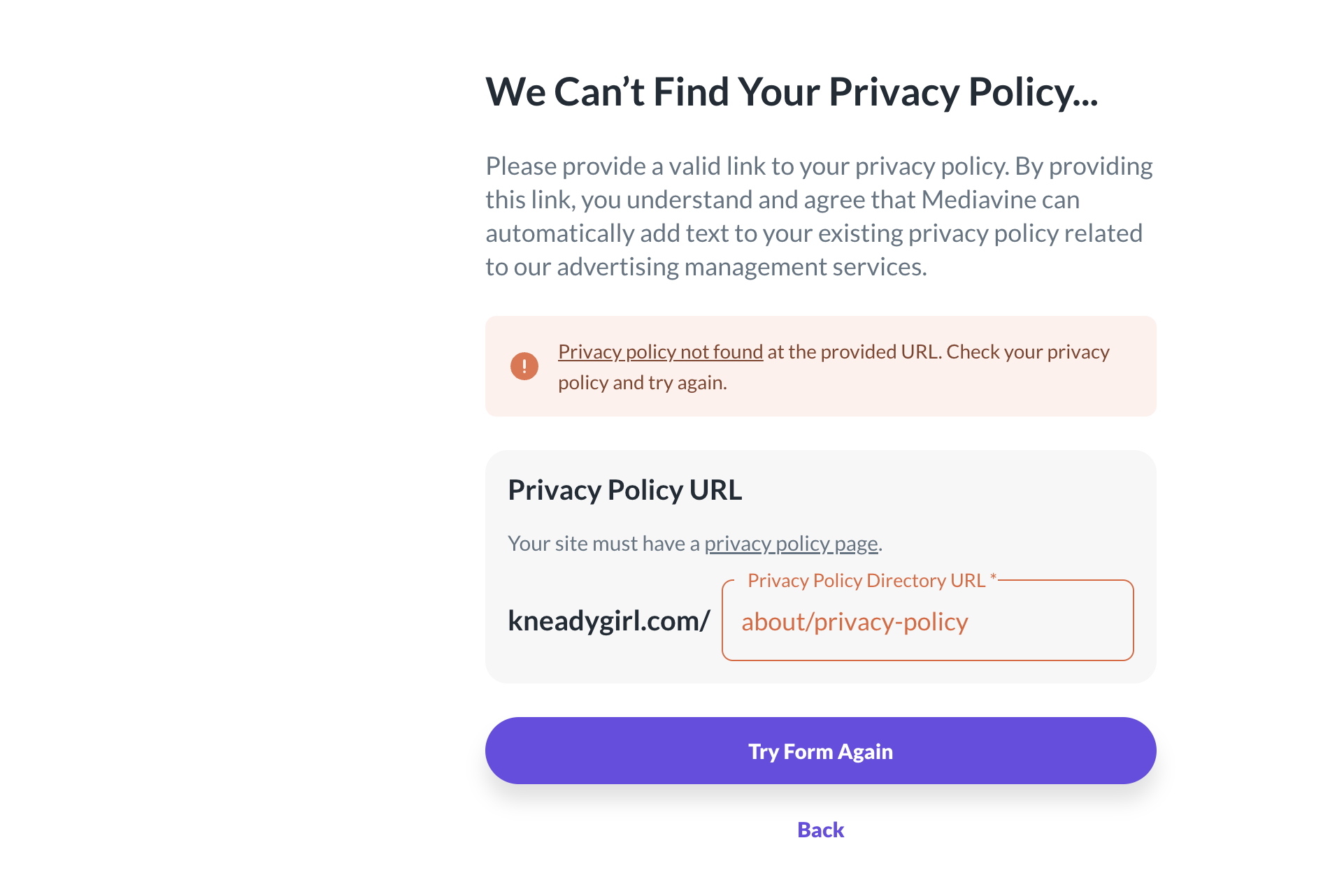
Hi Kathie! It looks like you have the privacy policy link saved as /privacy-policy instead of /about/privacy-policy, so I'd recommend going into your Journey settings and updating the url and see if that does the trick.
0 -
I tried this so many times and it didn't work. I was able to get to the next screen and enter my payment info.
0 -
Are you referring to the onboarding flow where you were getting started with Journey or are you referring to the Journey Settings section of your dashboard? Here's what we're seeing on our end:
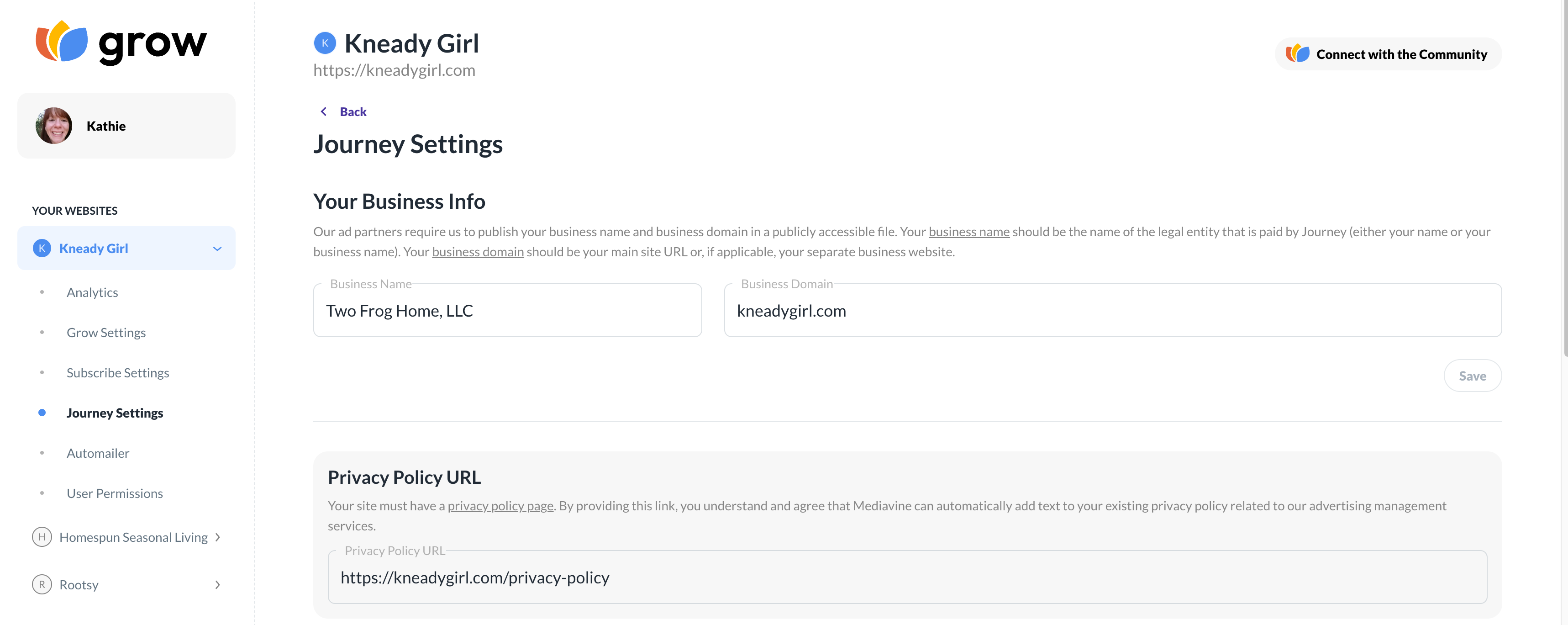
Are you able to change that url or are you saying you're unable to change it there as well?
0 -
It just doesn't want to take my link. No matter what I try. Screenshot just taken. Interestingly, ads are up and running on my site and I'm able to see anyaltics (obviously nothing to report yet). I'm not sure if that means it was accepted or not…
 0
0 -
Thanks Kathie! We're looking into it on our end as to why the privacy policy isn't getting added by our script, but I can also confirm that ads are working and you should have access to your dashboard.
0 -
Hi Kathie Lapcevic I've double-checked this morning and it looks like the privacy policy language is now appearing on your site, so you should be all set!
0 -

Hi Jacob,
I've been redirected to this thread as I am having the same issue, however I cannot get past the “Let's add your privacy policy” to finish the onboarding.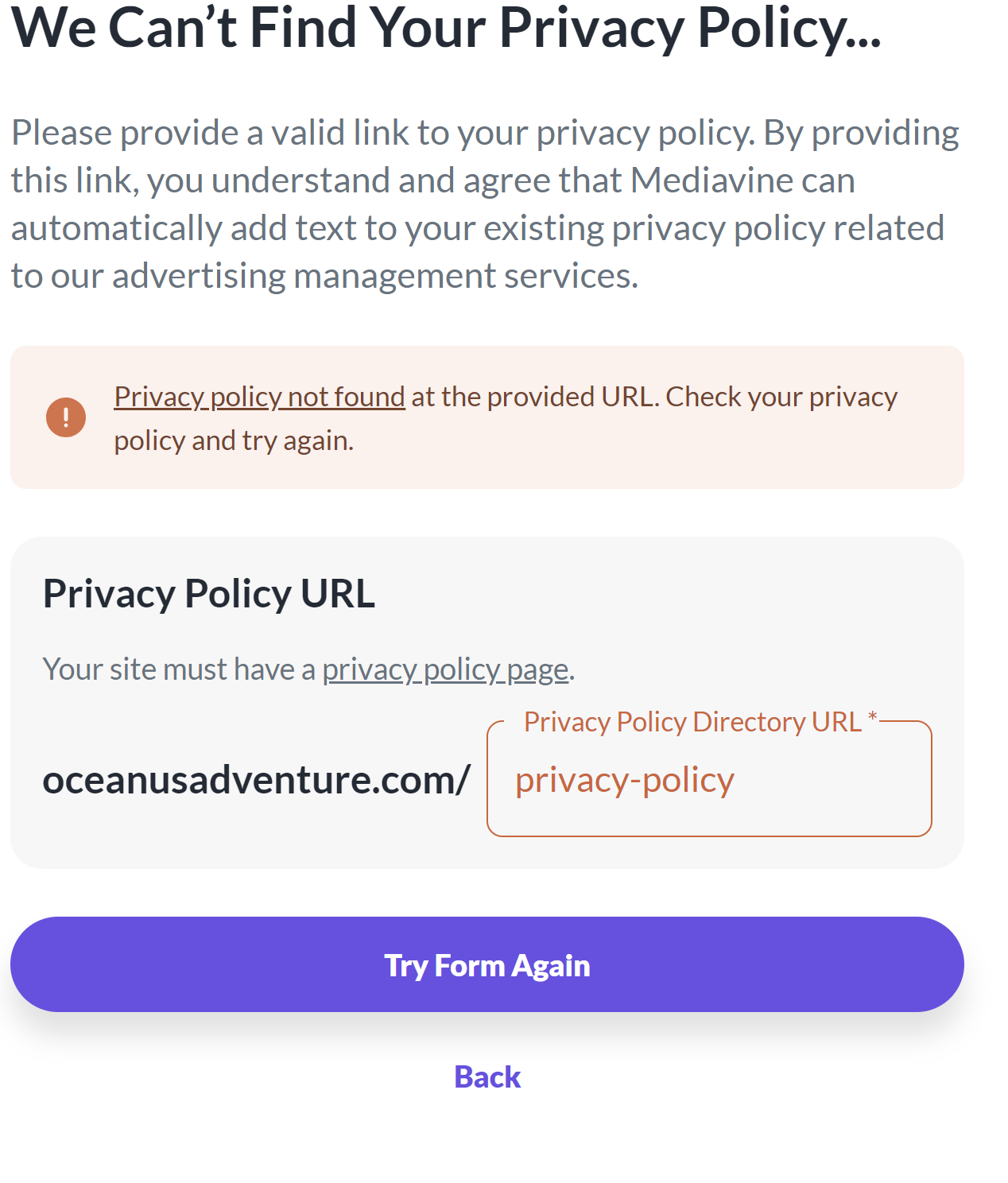 0
0 -

Good morning! If you add a trailing backslash to the end of your privacy policy URL, then it should be able to see the privacy policy. So for example, you would enter privacy-policy/ instead of just privacy-policy. Could you give that a try and let us know if it does the trick? Thanks!
1 -
Hi Rachel,
I've tried that as well. It still comes up with the same error unfortunately.Kerry
0 -
Hey Kerry! It looks like we're unable to pick up your ad script or ads.txt file. Could you follow the steps in this troubleshooting article to make sure everything is set up correctly? It's likely this is why you're also running into the issue with the privacy policy URL. Thanks!
0 -
Hi Rachel,
I have just restarted the onboarding from scratch and you are right. The script is now showing that it is not working which is strange because it was working before. I have contacted my host and they have asked the following from you:
I understand in this case the script service IP's be blocked by the Firewall. If you're able to obtain this information (the IP's) of the crawlers we can raise it further with our techs to check if they're being blocked out.
Are you able to let me know this information please?
0 -
Thanks for checking with your host! I would have them whitelist our user agent, which is MediavineMetadataParser, and then let us know if it does the trick.
0 -
Hi Rachel,
The host has checked and everything is fine but the script is still not working. I have also cleared all caches including brower. The Host's comments are below. Is there anything else we can do?
I checked the server logs and all of the requests from the MediavineMetadataParser User Agent are either with the 200 OK or 301 Redirected status.
This means that none of the requests have been blocked.0 -
Hey Kerry! I noticed ads are up on the site now, so it looks like whatever was blocking the script was adjusted or removed. Do you happen to know if your host made any other changes?
Thanks so much!
0 -

I'm logged into my analytics dashboard, and there are 2 things under my To-dos
One says: Privacy Policy Not Found
The other says: Ads Script Not Found
Both of these were connected fine yesterday…or so I thought.
I read through the solutions suggested in this thread and none of them apply to me. The URL in the privacy policy URL field is copied and pasted verbatim from the URL bar in my browser when I'm on my privacy page.
Any other ideas?
0 -
Hi there! Could you read through this help article and confirm you've followed all of the listed troubleshooting steps? This will likely be due to the script being optimized, caching, or a firewall/security setting, so I would focus on those. For the latter, you can reach out to your host for assistance.
Once the script is no longer flagged as “Not Found”, that should also resolve the issue with the Privacy Policy.
0 -
Hi Rachel,
I read through your list and it didn't help.
- I purged the cache in my cloudflare dashboard
- I don't have script optimizations, plugins, or firewalls
- double checked that my robots.txt file is not restrictive (proof: https://vegandollhouse.com/robots.txt)
When I first installed the script in the head of all my pages, it was verified immediately. Then later that evening, I moved the ads script from the head of ALL my pages to JUST the head of my blog post and recipe posts. I did this because I don't want ads on my home page, search page, category pages, about page, or privacy policy page. Do you think that's maybe why grow isn't finding it now? Maybe it's only looking on my home page? Is there anything you can do on your end to tell it to check a recipe page or a blog page instead?
Thanks, Robin
0 -
It sounds like that's the issue! The script needs to be installed globally in the <head> of your site – otherwise, the dashboard will throw that error. You can block ads from specific pages though following the instructions in this help article.
0 -

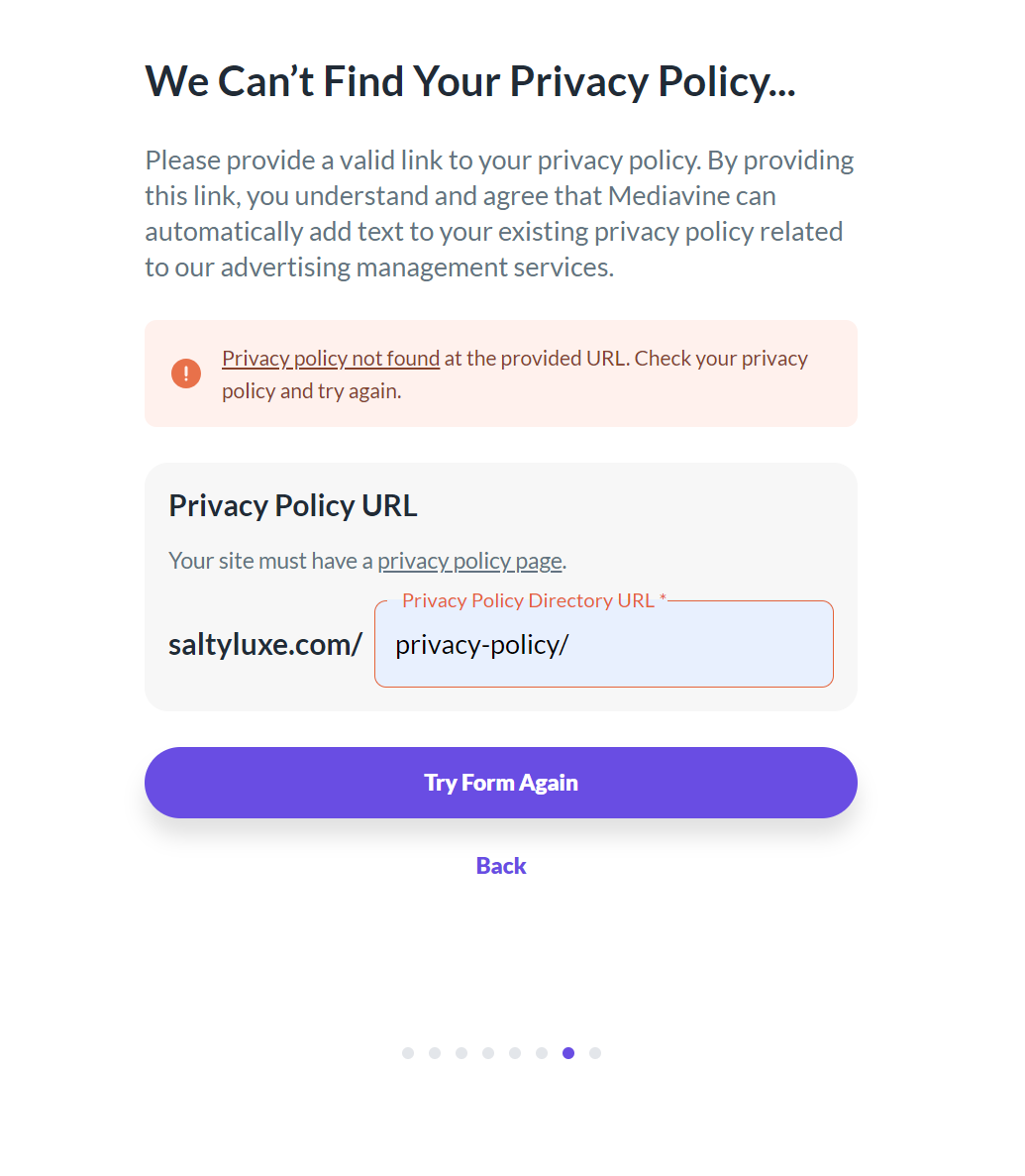
Hi - I am trying to get onboarded for Journey, but I am stuck at the Privacy Policy page. I've tried with and without the / (actual page uses the /) and even gone back to the beginning to go through all of the steps again after a few days of trying. Every time it shows the same error message.
I can't seem to get past this screen. Any ideas?
My site is on Wordpress, but my pages are through Showit if that matters.
 0
0 -
Hi Sarah Royall ! It looks like the privacy policy page is missing the Journey ad script. The ad script needs to be installed universally on your site in the <head> area, and then the dashboard should be able to detect the privacy policy so you can finish onboarding.
0 -
It was already installed in the <head> area, but I just added it specifically to the Privacy Policy as well and it worked. I'm not sure why it wouldn't read it in the <head> area of the whole site though.
0 -

It seems that I am having all the same issues as the others here. I followed these steps and still cannot get the privacy policy to accept:
- I installed the ads.txt automatically (I'm on ShowIt so I cannot access my own hosting to do this manually)
- I have followed this troubleshooting article
- I have followed the things mentioned in this help post
- I do not have robots.txt on my site
- My site doesn't have firewalls or anything installed
I'm really at a loss.
0 -
Heather Farris It looks like the privacy policy page is missing the Journey ad script. The ad script needs to be installed universally on your site in the <head> area, and then the dashboard should be able to detect the privacy policy so you can finish onboarding.
0 -
Okay I added that to Google Tag Manager, it found the 2 scripts in the steps and it's still saying it can't find the privacy policy. I'm going to wait a few hours and try again.
**Edited: I tried again this evening to verify the privacy policy. Both versions by the way and neither of them will take.
0 -
Heather Farris You'll want to add the ad script directly to the <head> of your site instead of loading it through Google Tag Manager. That should hopefully do the trick.
0 -
This is for anyone reading this later.
On ShowIt I did as Rachel said and as soon as it went into the ShowIt head section on the privacy page directly it went through. Now I'm going to go put it on every ShowIt page manually and remove it from GTM.
Thanks for your patience Rachel!
0
Journey is Self Supported
Please sign in to leave a comment.
Comments
26 comments