Mediavine Journey Javascript Code with Cloudflare Zaraz
Completed
Hi,
I managed to setup Mediavine Journey and everything works perfectly! However, I would like to load my 3rd party Javascript through Cloudflare Zaraz, which apparently does some DNS magic to load everything afterwards.
This works great and the ads show on the website (you can check here) and the custom text is injected in the privacy policy page, however in my Dashboard I get this error message.
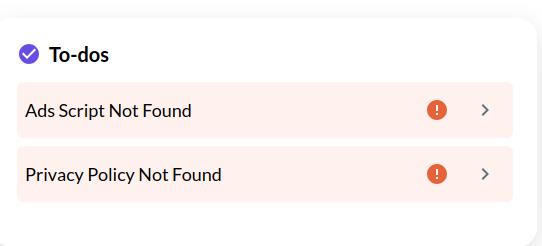
Is it an issue or can I just ignore them if everything works?
-
Official comment

Hi Andreas Spreitzer ! If the script doesn't appear in the source code of the site, then these notices are going to pop up in the dashboard and there wouldn't be a workaround.
We're not very familiar with this Cloudflare feature or how it interacts with the ad script, but we always recommend a standard script implementation in the <head> area of the site without any optimizations to ensure the best possible ad performance without potential conflicts/issues. This implementation might be working now, but it's possible it will impact ad performance since it's loading the script in a way we haven't accounted for.
There's also always a possibility Cloudflare changes how this feature works or we have a script wrapper update in the future, and it results in ads no loading or issues with your dashboard numbers.
It's ultimately up to your discretion, but loading the script normally without optimization is always our recommendation to avoid any issues. If you do end up notice issues with performance or lower performance, loading the script normally would also be our first recommendation for troubleshooting.
Thanks!
Journey is Self Supported
Please sign in to leave a comment.
Comments
1 comment