Html code for blocking ads is not working on mobile

Site: Vegetarian Zen
I am attempting to block in-content ads from displaying on certain blog posts on my website. For these specific pages, adhesion and video ads are fine; I just want to prevent ads from breaking up the main content. I want this to work for desktop, mobile, and tablet.
I have added the following code to the bottom of each post: <div id="ad-management-config-settings" data-blocklist-content-desktop="1" data-blocklist-content-mobile="1”></div>
When I test, the code works as expected on desktop (no in-content ads; adhesion and video ads only).
However, when I check mobile and tablet I still see in-content ads. Here are two posts on which I have added the code but am still seeing in-content ads on mobile and tablet:
https://www.vegetarianzen.com/is-cocoa-powder-vegan-hidden-ingredients-you-need-to-know/
https://www.vegetarianzen.com/vegan-christmas-dinner-made-easy/
Please let me know what I'm doing wrong (if anything) and how to fix it.
Thanks in advance!
-

Hi Larissa Galenes! I just checked on the site, and while you have the code right, it looks like it may not have pasted into the site quite correctly. I'm seeing some additional characters in the code when I check the pagesource, and this is likely why the mobile block isn't working. This is what it looks like:

So if you're able to paste in the div again and to make sure it's just as written below, it should do the trick:
<div id="ad-management-config-settings" data-blocklist-content-desktop="1" data-blocklist-content-mobile="1"></div>0 -
Hi, John. Thanks for your quick response!
Here's what I see in the WP editor:
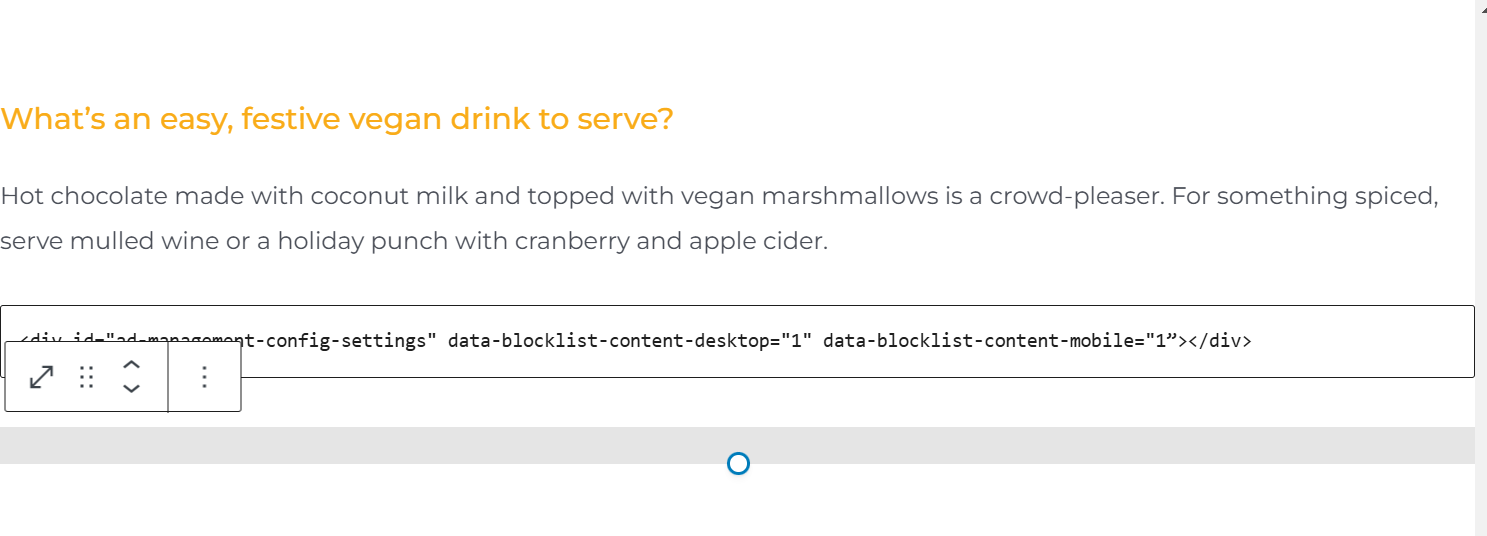
Because the code I pasted is identical to what you shared, where would the extra characters be coming from (and how do I remove them if they're not showing up in my post editor)? Thanks!
0 -
Update: I just deleted the code in my posts and copied/pasted yours and now it works. Still not sure where those extra characters came from, but at least it's fixed. Thanks for your help!
0
Journey is Self Supported
Please sign in to leave a comment.
Comments
3 comments