Help! I'm new and need to resolve this issue [Ads.txt & others]

Hello,
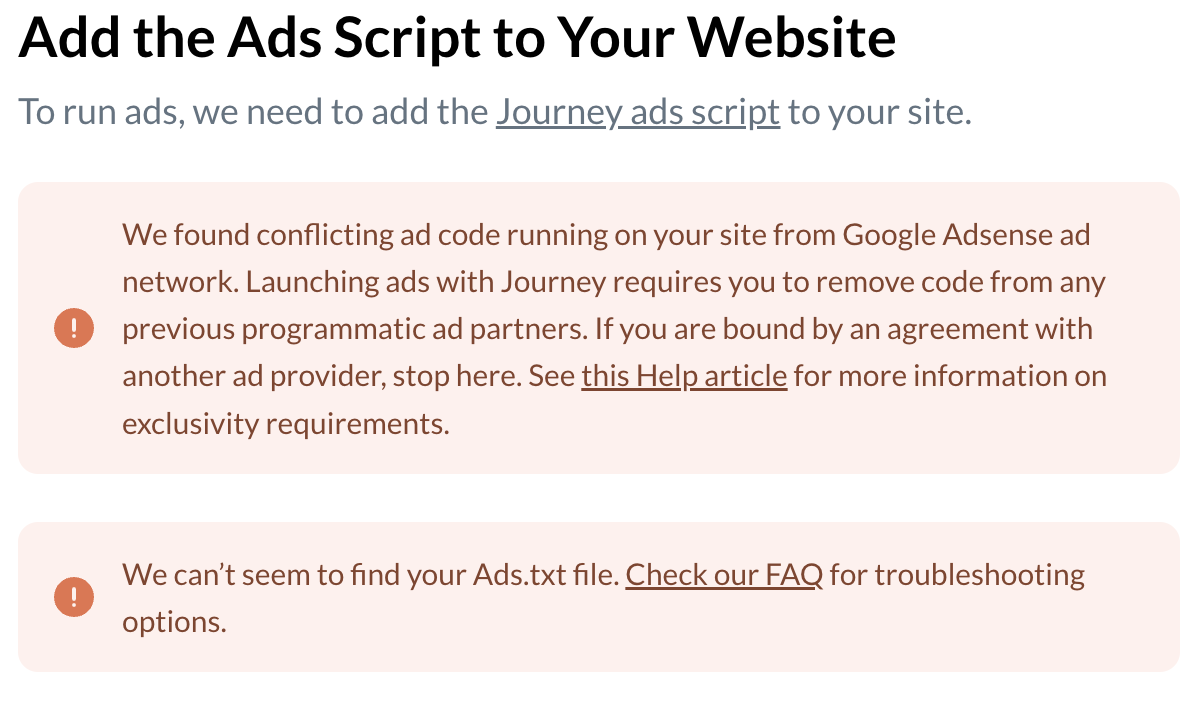
I am new here and I'm sure some of you had the same problem as me. And have looked into other post and see how others have solved the problem but I'm not a tech gal so I really need help navigating me into the next step. I have remove my site from adsense and I tried what I could with my ads.txt file and now I'm totally lost. Can someone help me? Thanks. This is my issue right now and I need help in determining what I am doing wrong since I've tried all that I could.
-

Hi Cindy Her! It looks like there are still a number of AdSense scripts running on the site. They'll look similar to this:

You'll also just need to get the ads.txt loaded (looks like it's currently not showing). You can refer to a thread like this and to our documentation for additional assistance. Thanks!!
0 -
I'm not sure how I can access the Adsense Script part and delete it on my end. I can't find anything on my wordpress. Do I need to contact my host to do that for me or do I need to upgrade my plan to see that? I'm totally lost.
0 -
I actually found it deep in the widgets. Thank you! :)
0 -
Hi Cindy Her! Awesome! It looks like you just need to get the ads.txt updated, and you'll be able to proceed with onboarding. I just took a look at the site, and it looks like you actually have the URL to the ads.txt pasted as text at /ads.txt on the site. You'll want to actually get the text that displays if you visit that url showing on your ads.txt. You can download the file directly right in the onboarding or grab the text from the URL. You'll just want to be sure that what's on the site exactly matches the text. This article should be helpful as well. Thanks!!
0
Journey is Self Supported
Please sign in to leave a comment.
Comments
4 comments