I created the ads.txt and page is live, but can get it verified
Answered
I have an ads text page ready, and is accesible properly https://therapyforchristians.com/ads.txt
But, when i click on"Ads.txt is Added, I’m Ready to Launch!" it doesn't recognize.
What are you doing wrong, or can journeymv please help here.
-

Hi Corine! Thanks for reaching out. I'm able to see the ads.txt added at the url you linked as well, but it looks like our crawler is still not able to see it. It's possible that this is coming from some caching on the server side, or it could be due to a security measure from your host that is blocking our crawler from seeing it.
So it would make sense to reach out to your hosting to have them make sure the cache is cleared and that the ads.txt url is whitelisted from security measures that could be blocking crawlers.
If it's still missing after this, another option could be to have your host setup a redirect for the ads.txt. They would just redirect the /ads.txt url on the site to the Ads.txt url on our servers that you can find in your onboarding dashboard. Thanks!!
0 -
Thank you for replying. Is that a particular name for your bot?
0 -

Hi Corine Williams ! Your host can whitelist the
MediavineMetadataParseruser agent, and that usually does the trick.Thanks!
0 -
Thanks for the reply, I have tried that. Any other help/suggestioons?
0 -
Hi Corine Williams ! When we see this, it comes down to a firewall/security setting or aggressive caching.
One thing you could try is having your host set up a redirect from yoursitename.com/ads.txt (replace yoursitename with your domain) to the ads.txt file URL in your Journey dashboard under Journey Settings → Ads.txt → Ads.txt URL that looks like this:
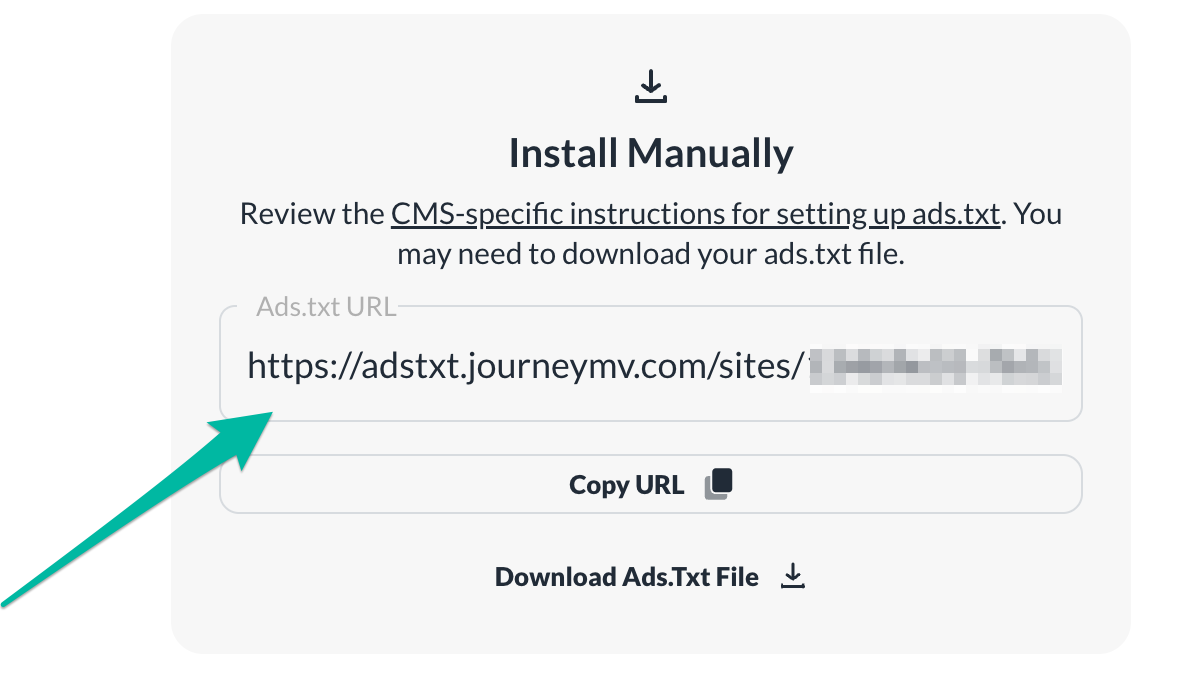
This way, you also wouldn't have to update the file manually every time there's an ads.txt update. That said, if this is being caused by a firewall/security setting, the redirect likely wouldn't resolve the issue.
0
Journey is Self Supported
Please sign in to leave a comment.
Comments
5 comments