Error: Failed to fetch when trying to complete my Journey
Answered
On the Grow dashboard (and clicking through emails) when I click on ‘Finish Journey Setup’ I am receiving this ‘Error: Failed to fetch’ error.
So far I have tried clearing my cache, using incognito mode and using a different browser. I am primarily using Chrome.

-

Hi Emma Drew ! Thanks for reaching out. I took a look at your Grow dashboard, and I was able to click through the onboarding process without issue. Could you try logging out of your Grow dashboard, logging back in, and then clicking “Finish Journey Setup”?

From there you should be able to click through the onboarding process and see instructions for how to install the ad script and ads.txt file, but let us know if you run into issues!
0 -
I am still getting the same error. As I mentioned in my OP, I have tried various browsers and incognito mode which would log me in again anyway.
0 -
Emma Drew Would you mind sending over a video of the behavior from start to end? I can't replicate on my end, so I just want to see what's happening on yours. Also, could you try logging into your Grow dashboard on another device to see if that changes things?
Thanks!
0 -
Sure, you can view it here when I am using Chrome.
https://vimeo.com/988953503?share=copy
When I try with my phone I get the error ‘Error: Load failed’
To clarify, I have also tried using a different ISP (turned the Wifi off on my phone and used mobile data)
0 -
Emma Drew thanks so much for the video – this is super helpful! We've escalated this to our engineers and will let you know as soon as we have an update.
0 -
Hi again Emma Drew ! It turns out this was happening due to a request timing out because it was taking too long to verify if Grow for WordPress was running on your site. As a work around, engineers have forced it so you'll see the option for installing the ad script manually when you go through the Journey onboarding process to avoid this time out.
That said, the time out would only happen in that very first step, so you can still definitely install Journey through the Grow for WordPress plugin. You should be taken to the following screen when you go to onboard, and if you want to install with the plugin, you can just click “Install with Grow for WordPress”.
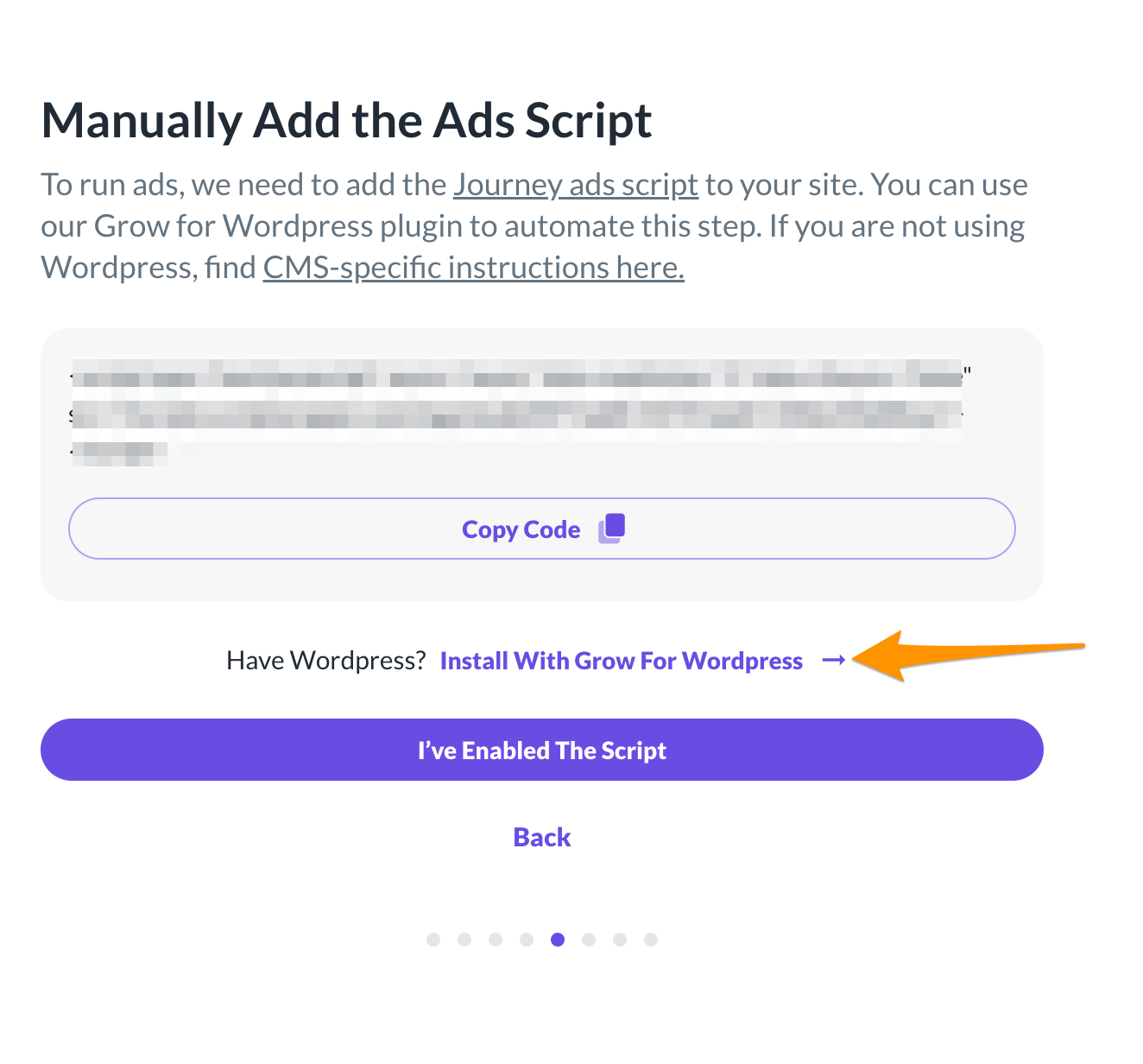
Then you should be able to finish onboarding, but let us know if you run into any issues!
0
Journey is Self Supported
Please sign in to leave a comment.
Comments
6 comments