Ad Load Time Concerns
Answered
Hello, the following are my concerns. Any help would be greatly appreciated.
1. The sticky footer is not loading for over 30 seconds (sometimes takes over 2 minutes!)
2. Can the ad density be turned up? Right now, on an entire post I'm only seeing maybe 3 ads.
3. Overall ad load time is extremely slow. In a 30-second period, only 2-3 ads loaded, and it was almost at the end of that time frame. I've asked others to visit the site with the same results.
4. Extremely low RPM as a result?
-
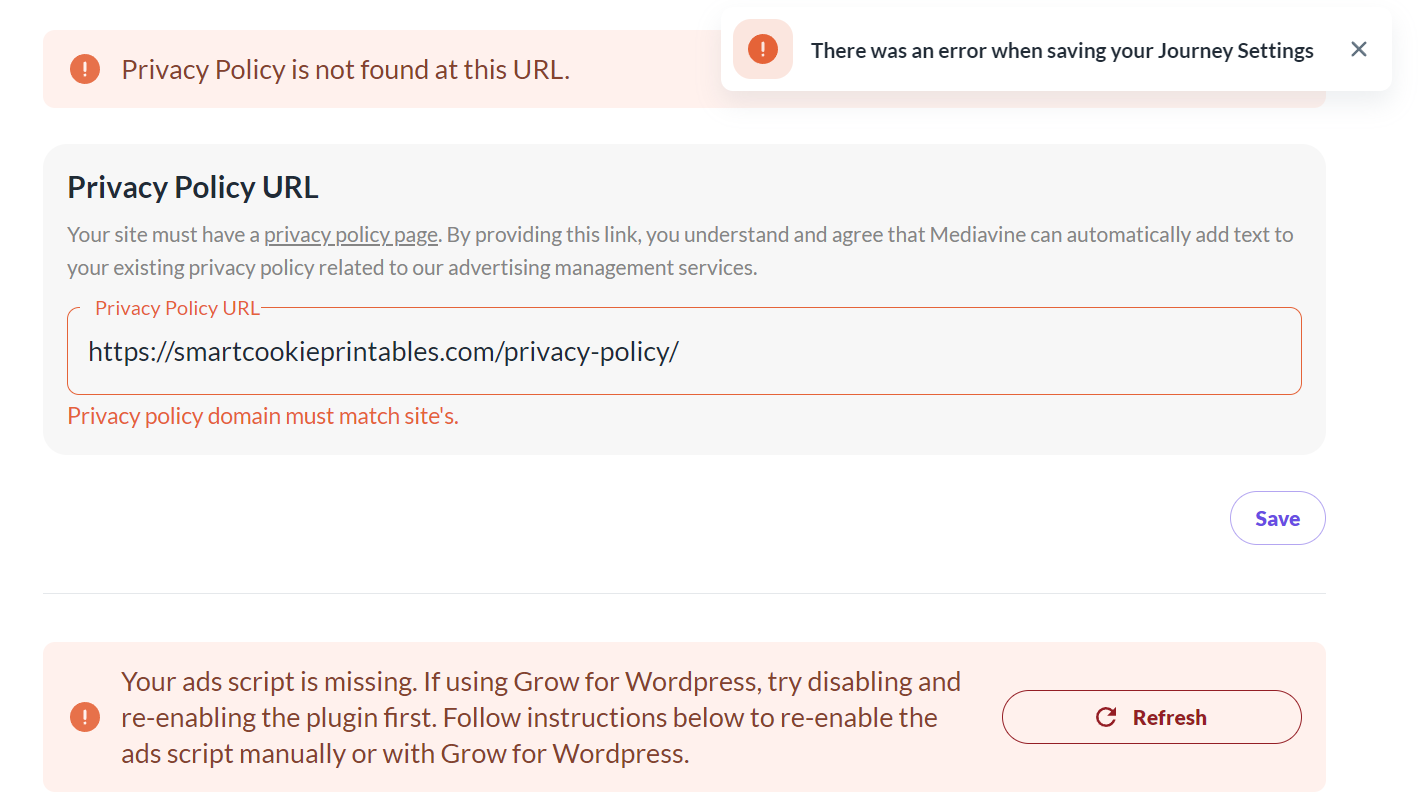
I also keep getting error messages in Journey about my privacy policy and ads script, but those are fine on my end - the URL for the privacy policy is in tact - it's the same URL that it's always been, and I have enabled ads script many times (ads are showing). Also, my ConvertKit forms are no longer visible on my site. What is happening? Please help!
 0
0 -

Hi Arelle! I took a look at your site, and it looks like the ad script is being optimized by Siteground Optimizer. This could explain the behavior you're seeing and why the dashboard isn't picking up the ad script. You'll want to make sure the script is excluded from this plugin. Here's a help article that goes over how to exclude scripts, and you can also reach out to Siteground for assistance. You should just need to exclude the term “scriptwrapper”. And at the moment, we don't have any settings to change ad density, but the script optimally places ads for ad performance and user experience.
For the privacy policy, I'm seeing two slashes in the URL instead of just one: https://smartcookieprintables.com//privacy-policy/
Removing the extra slash before privacy-policy should hopefully do the trick.
I'm not sure why your ConvertKit forms aren't showing, but this shouldn't be related to Journey. We have plenty of publishers using Journey and ConvertKit together, so this is likely related to something else. I can see the ConvertKit script is also being optimized by Siteground Optimizer, so that could be causing it not to display and excluding the script could help.
0 -
Thank you so much for your response!! I've tried to remove that extra slash and I keep getting an error message, “There was an error when saving your Journey Settings”. I will check on the Siteground Optimizer plugin issue. Do you know why I can't save my settings?
0 -
I suspect that once the script is no longer optimized and the dashboard doesn't throw the error that it's missing, you'll be able to save your Privacy Policy as well, but let us know if that isn't the case!
0 -
Also, I have excluded the term “scriptwrapper” as advised, re-enabled the ads script, and refreshed that setting, and I'm still getting the same error message for this and for updating the privacy policy. Should I delete the plugin and reinstall - or is that not ok to do? I've already tried deactivating and reactivating and that did not work.
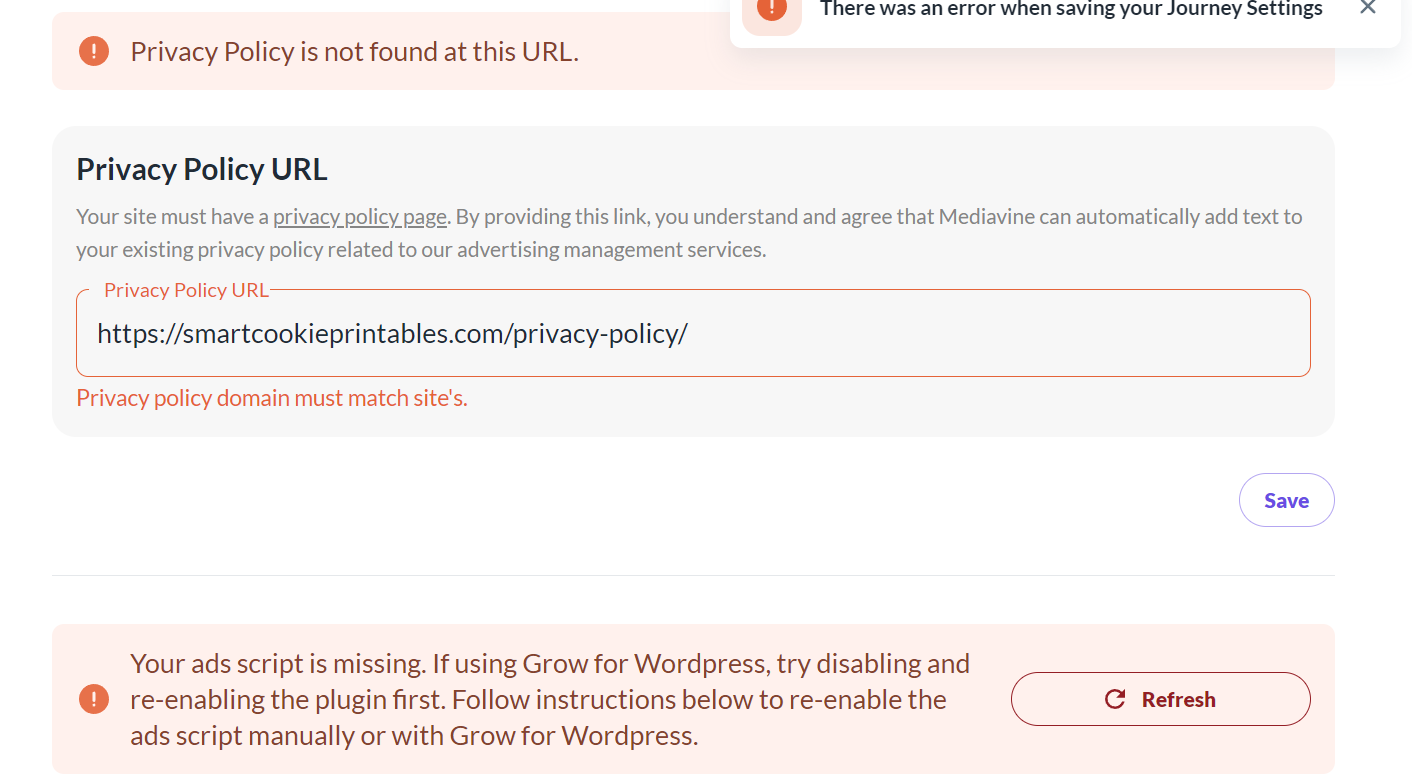
I've tried several times to update the privacy policy url.
0 -
Hi Arelle - the privacy policy won't be recognized until the dashboard can actually connect to the script wrapper, so we'll need to take care of that first.
I'm still seeing the script wrapper being optimized by Siteground, so I would reach out to their support team to have them help you make sure you've excluded the Journey script from all optimizations. Once you're sure it's excluded from all optimizations, you also will need to clear all caching plugins (including Siteground Optimizer), have your host clear your server side cache, and clear your CDN cache if you use one (like Cloudflare). Then the errors should be resolved!
0 -
Hi Rachel, I've changed my optimizer plugin and settings (now using WPRocket) and all the errors are fixed. However, my RPM is still super low. Ad load times are still very slow. Is this something that will increase over time? I don't think there is anymore that I can do on my end to increase the speed.
0 -
Hi Arelle! The script itself won't load until user interaction or unless it's been a specific amount of time after page load, and it's also loaded asynchronously and ads themselves are lazy loaded, so it's normal for ads not to immediately pop up on the page. I checked your site and the ads are loading normally, so you shouldn't have anything to worry about here.
0 -
Thank you for your response and for checking. I'll sit tight and see if my RPM increases. Thank you!
0
Journey is Self Supported
Please sign in to leave a comment.
Comments
9 comments