We Can't Seem to find Your Ads.txt file
Answered
My ads.txt file was added by my host, and when I check by entering mysite.com/ads.txt, it shows up.
I've cleared my cache and also I asked my host to clear the cache on the server side, which I received the below response:
This file never existed before, therefore it hasn't been cached and purging your cache isn't going to do anything. You can see it's internationally available:
https://testlocal.ly/tests/664bdd067779a7a5fc0637f2
If the non-existent page response is being cached anywhere it's on their side.
What should I do next?
-

Hi Teri,
Thanks so much for reaching out. I just took a look at the site, and I am seeing the ads.txt on my end as well. It doesn't appear that caching is an issue. Could you please reach out to your host to see if there are any firewall or security settings that could potentially be blocking crawlers from accessing the ads.txt?
Please let us know if that gets things working for you, otherwise we can absolutely do some additional looking. Thanks!!
0 -
My host is helping me check blockage through Cloudfare.
My host has asked if you can “provide the IP address that has been used to connect to your site, and which has received a failed response. I understand they probably use a wide variety of different IPs, I only need 1 which has recently tried to connect.”
Thanks!
0 -
Hi Teri,
Thanks so much for getting back to us. I was able to take a look at the site with our engineers today, and it actually looks like we ARE able to see the ads.txt - so that's great. Not running into an issue currently with it being blocked. The issue is that it looks like the formatting (only with some spacing at the end) for the ads.txt that your host added is slightly different than the ads.txt here.
We're looking to make an update on our end so that the spacing difference doesn't cause the issue. In the meantime, though, something you could do is have your host setup a redirect for the /ads.txt URL. So instead of actually having the ads.txt hosted there, the url would redirect to the URL beginning with
https://adstxt.journeymv.com/sites/that you can find in your onboarding in Grow Publisher Portal. You would want to use the full URL there: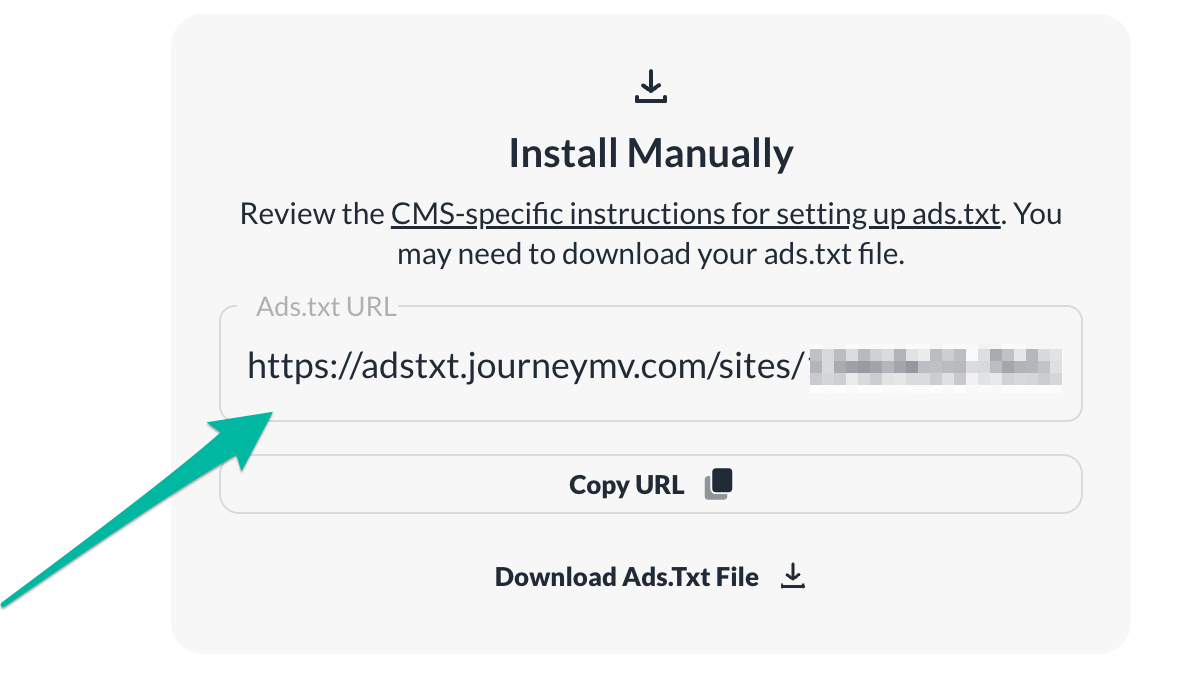
If we can answer any additional questions, just let us know. Thanks!!
0
Journey is Self Supported
Please sign in to leave a comment.
Comments
3 comments